Structured data explained
Can you provide an example of JSON-LD data? A practical Article JSON-LD guide
Practical JSON LD structured data example for Article pages, with required fields, placement rules and a two-step validation workflow.

Quick example and what you can copy-paste right now
This quick section gives a minimal, ready-to-use JSON-LD example you can copy into an Article page and edit. The snippet below uses JSON-LD 1.1 core keys such as @context, @type and @id and shows the headline, image, datePublished and author fields that Google lists as required for Article eligibility, JSON LD structured data appears early here so you can spot and adapt it quickly.
Before the snippet, a short checklist: replace the values for headline, image, datePublished, author.name and the @id URL with your page's canonical URL and correct image URL. Use fully qualified URLs for @id and image entries so they point to stable resources.
Quick sanity checklist to confirm minimal Article fields are set
Minimal working JSON-LD for an article, JSON LD structured data
Copy this compact JSON-LD into the head or the body of your page; it is deliberately minimal so you can see the required properties at a glance.
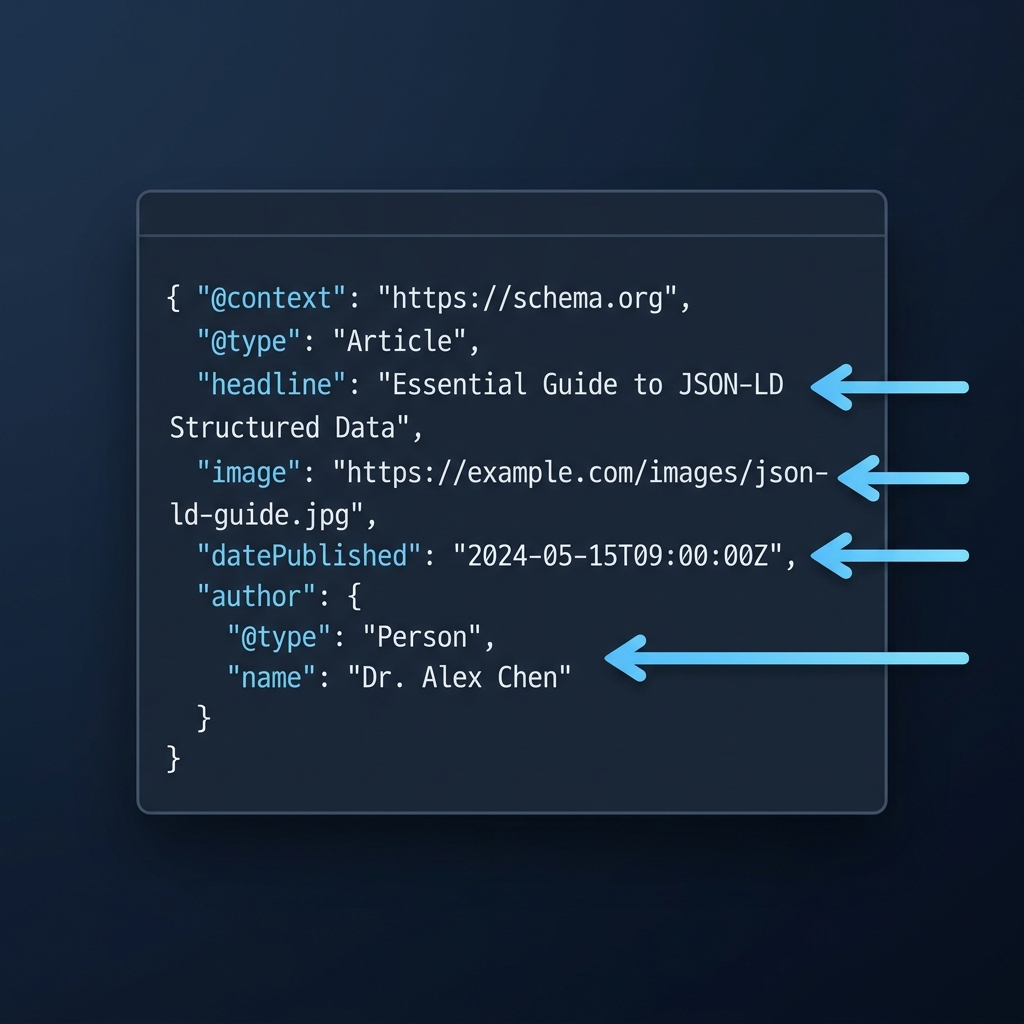
{ "@context": "https://schema.org", "@type": "Article", "@id": "https://example.com/articles/2026/why-jsonld", "headline": "Why JSON-LD matters for modern pages", "image": [ "https://example.com/images/article-main.jpg" ], "datePublished": "2026-05-01T08:00:00Z", "author": { "@type": "Person", "name": "Alex Editor" }, "publisher": { "@type": "Organization", "name": "Example Publisher", "logo": { "@type": "ImageObject", "url": "https://example.com/images/logo.png" } } }
Notes on edits: change the @id to your canonical page URL, replace the image URL with the public URL that serves the article image, ensure datePublished is in ISO 8601 format, and include the author as an object if you have author metadata to link. The JSON-LD 1.1 spec defines @context, @type and @id as the keys used to describe and link entities on the web, and using those keys here follows that recommendation W3C JSON-LD 1.1.
Definition and context: how JSON-LD models web entities
JSON-LD is a way to express linked data in JSON so tools and search engines can reliably understand entities on a page. The @context maps terms like name or image to known vocabularies, @type states the kind of entity such as Article, and @id gives a stable identifier that can be a fully qualified URL.
Think of @context as a dictionary that tells parsers what each property means, @type as the label for the object you are describing, and @id as a stable handle that other data can reference. This mapping and linking model are defined by the W3C Recommendation for JSON-LD 1.1 and remain the recommended practice for describing web entities W3C JSON-LD 1.1.
Search engines have shifted toward JSON-LD as the preferred format for structured data because it lets authors include rich semantics without altering page HTML flow. Google explicitly recommends using JSON-LD for structured data implementations in Search and provides guidance on required fields for specific features, including Articles Google Search Central introduction to structured data. See our guide to Google rich results Google rich results guide.
Core framework: a step-by-step Article JSON-LD template
The Article documentation lists these properties among the key elements Google expects to see for eligibility Article structured data.
Checklist for the main Article properties:
- headline: the title text that appears on the page
- image: one or more fully qualified URLs to public images
- datePublished: ISO 8601 date and time when the article was first published
- author: either a Person object with a name or an Organization object
Use @id when you want a stable identifier for the article itself or to link to other entity descriptions. For example, set @id to the canonical page URL so the same identifier appears across syndication, social cards and internal metadata. Google and the JSON-LD spec advise fully qualified URLs for identifiers and linked entities to avoid ambiguity General structured data guidelines.
When you have multiple authors, include an array for author with objects for each person. If an author is a known profile on your site, use an @id that points to that profile URL. For publisher metadata, include the publisher name and a logo ImageObject with a fully qualified URL; this helps link the article to a recognized organization on the web.

Can you provide an example of JSON-LD data?
Yes; a minimal Article JSON-LD includes @context, @type, @id, headline, image, datePublished and author, and should use fully qualified URLs and ISO 8601 dates. Test with the Rich Results Test for eligibility and the Schema Markup Validator for vocabulary conformance.
Short example variation for two authors:
{ "@context": "https://schema.org", "@type": "Article", "@id": "https://example.com/articles/2026/multi-author", "headline": "Collaborative editing in 2026", "image": ["https://example.com/images/collab.jpg"], "datePublished": "2026-04-15T09:30:00Z", "author": [ {"@type": "Person", "name": "Writer One", "@id": "https://example.com/authors/writer-one"}, {"@type": "Person", "name": "Writer Two", "@id": "https://example.com/authors/writer-two"} ] }
Keep author as an object when you can link to a profile; plain strings are acceptable for small sites but objects provide clearer linking. The Article guidance describes author expectations and common variations to meet eligibility checks Article structured data.
Where to place JSON-LD and general implementation rules
JSON-LD can be embedded in the head or the body of an HTML document, but the markup must reflect the primary visible content of the page. In practice, choose the location that fits your deployment model and ensures the data remains accurate and synchronized with what users see. See our guide to JSON-LD graphs JSON-LD graphs guide.
Google’s general structured data guidelines require that markup match the page content and prefer fully qualified URLs for identifiers and linked entities; align values such as canonical @id and image URLs with the page canonical to reduce mismatches and parsing errors General structured data guidelines.
Do not use relative URLs for identifiers or images that Google must resolve, because relative references can lead to ambiguity when pages are crawled or syndicated. For language and localized content, ensure that any locale-specific values are accurate and, when necessary, include language markup on the page itself rather than duplicating language signals inside the JSON-LD.
Validation, testing and what each tool checks
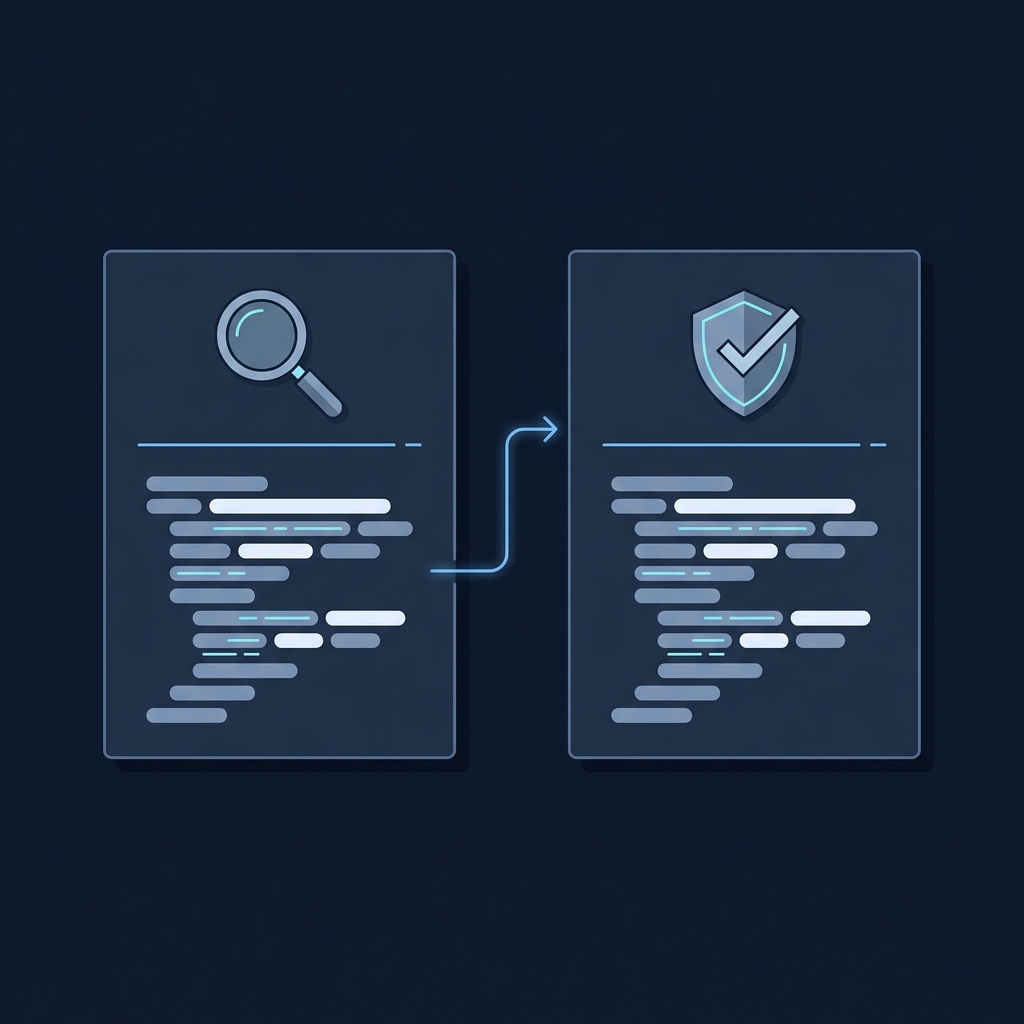
Follow a two-step validation workflow: first use the Rich Results Test to check Google Search eligibility for supported features, then validate schema.org vocabulary and structure with the Schema Markup Validator to ensure your JSON-LD conforms to the schema.org model. These tools are complementary and serve different purposes in the validation process Rich Results Test.
Use the Rich Results Test to see if your page is eligible for Search features and to identify missing required properties for Article markup. After fixing eligibility issues, run the Schema Markup Validator to confirm that your JSON-LD uses schema.org types and properties correctly; the validator reports vocabulary and structural issues that do not always affect eligibility but matter for long-term correctness Schema Markup Validator.
When a tool reports errors, treat required-property errors as blocking for eligibility and vocabulary errors as important to fix for correctness. Re-run the tests after each change and check the live page URL to confirm the deployed JSON-LD is being fetched by the tools.
Common mistakes and debugging checklist
Frequent implementation errors include missing required Article properties, using relative URLs for identifiers or images, and markup that does not reflect the page's visible content. These mistakes often lead to ineligibility or incorrect entity linking in Search results.
Quick debugging checklist:
- Validate with the Rich Results Test and note missing required properties
- Run the Schema Markup Validator to find vocabulary mismatches
- Compare the JSON-LD values to page content: headline, published date and author must match visible text
- Ensure @id and image URLs are fully qualified and resolve correctly
- After fixes, re-run both tests and monitor Search Console for indexing feedback
Remember that valid structured data improves how search systems understand content but does not guarantee display as a rich result, because the final rendering is subject to additional Google systems and ranking decisions General structured data guidelines.
Practical scenarios, examples and a closing checklist
Multi-author articles: represent authors as an array of Person objects and use @id for author profiles when available. This clarifies attribution and helps link authors across articles.
Non-HTML pages and AMP: JSON-LD can be used where pages are rendered as AMP or alternate templates, but ensure the markup still accurately reflects the primary content and that canonical linking between versions is consistent.
Images hosted on CDNs: use fully qualified CDN URLs for ImageObject.url values and ensure the images are publicly accessible. If you use multiple resolutions, include the primary image URL that best represents the article as presented on the page.
Final pre-publish checklist:
- Required fields present: headline, image, datePublished, author
- All identifiers and images use fully qualified URLs
- JSON-LD appears on the live page at the canonical URL
- Passed the Rich Results Test and Schema Markup Validator
- Monitor Search Console for indexing or enhancement reports after publishing
Valid markup helps eligibility but does not promise Search display; keep monitoring and iterate if Search Console signals issues. For further reading, consult the Article guidance and general structured data rules from Google Search Central when you need to confirm specific eligibility details Article structured data.
Frequently asked questions
What minimal fields must an Article JSON-LD include?
At minimum include headline, image, datePublished and author, using fully qualified URLs and ISO 8601 dates.
Where should I place JSON-LD on my page?
JSON-LD can be placed in the head or the body, but it must match the page's visible primary content and use canonical URLs.
Which tools should I use to test structured data?
Use the Rich Results Test to check Search eligibility, then the Schema Markup Validator to confirm schema.org conformance.
Before you publish, confirm the JSON-LD values match the live page content and pass both the Rich Results Test and the Schema Markup Validator. Valid markup supports eligibility, but Search display is decided by additional systems beyond the markup itself.
References
- https://www.w3.org/TR/json-ld11/
- https://developers.google.com/search/docs/appearance/structured-data/intro-structured-data
- https://checkmyschema.com/learn/google-rich-results
- https://checkmyschema.com/learn/article-markup
- https://developers.google.com/search/docs/appearance/structured-data/article
- https://developers.google.com/search/docs/appearance/structured-data/sd-policies
- https://checkmyschema.com/learn/jsonld-graphs
- https://search.google.com/test/rich-results
- https://validator.schema.org/
- https://checkmyschema.com/