Structured data explained
Can you provide an example of FAQ schema, with JSON-LD and testing
FAQ schema markup guidance with a copyable JSON-LD example, step-by-step implementation, and validation with Rich Results Test and Schema Markup Validator.
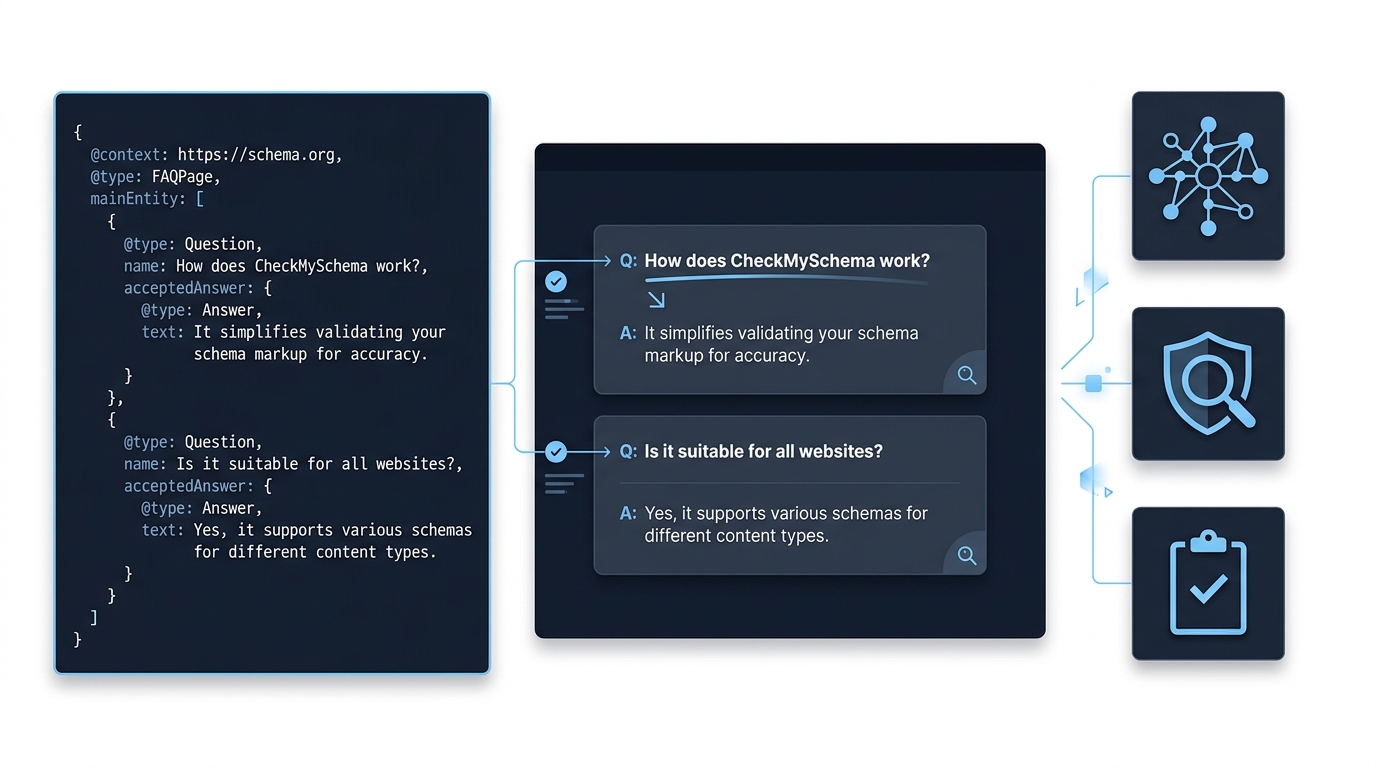
FAQ schema markup: ready-to-use JSON-LD example
Minimal working example
Below is a minimal, copyable FAQPage JSON-LD that follows the Schema.org FAQPage structure and the Google guidance for FAQ structured data. Place the script where your templates include other structured data and ensure the answers match the visible text on the page.
<script type="application/ld+json">{"@context":"https://schema.org","@type":"FAQPage","mainEntity":[{"@type":"Question","name":"What is FAQ schema markup?","acceptedAnswer":{"@type":"Answer","text":"FAQ schema markup is structured data that describes a question and its answer so machines can better understand on-page Q&A content."}},{"@type":"Question","name":"How should I deploy FAQ JSON-LD on a page?","acceptedAnswer":{"@type":"Answer","text":"Add a single FAQPage JSON-LD object to pages where Q&A content is visible to users and not promotional."}}]}</script>
short runbook of validation steps to perform after adding FAQ JSON-LD
How to adapt the example to your page
To add more Q&A pairs, append additional Question objects to the mainEntity array. Keep each Question with a clear name and each acceptedAnswer.text with the text that users see on the page to preserve content parity and policy compliance. For structure details see the Schema.org FAQPage reference Schema.org FAQPage.
When adapting the snippet, avoid duplicating identical Q&A across many URLs; use a single FAQPage object per page and ensure Q&A entries are directly present on that page rather than injected only for crawlers, consistent with Google guidelines Google Search Central FAQ documentation.

What FAQ schema markup is and when to use it
Definition and structure
FAQ schema markup is a top-level FAQPage entity where mainEntity is an array of Question items, and each Question contains an acceptedAnswer of type Answer; this is the canonical structure on Schema.org Schema.org FAQPage.
Use JSON-LD for implementation because both Google and Schema.org continue to prefer and support JSON-LD formatting for structured data, and JSON-LD keeps markup separate from the visible HTML for easier maintenance Google Search Central FAQ documentation. See our JSON-LD graphs guide.
When FAQ markup is appropriate
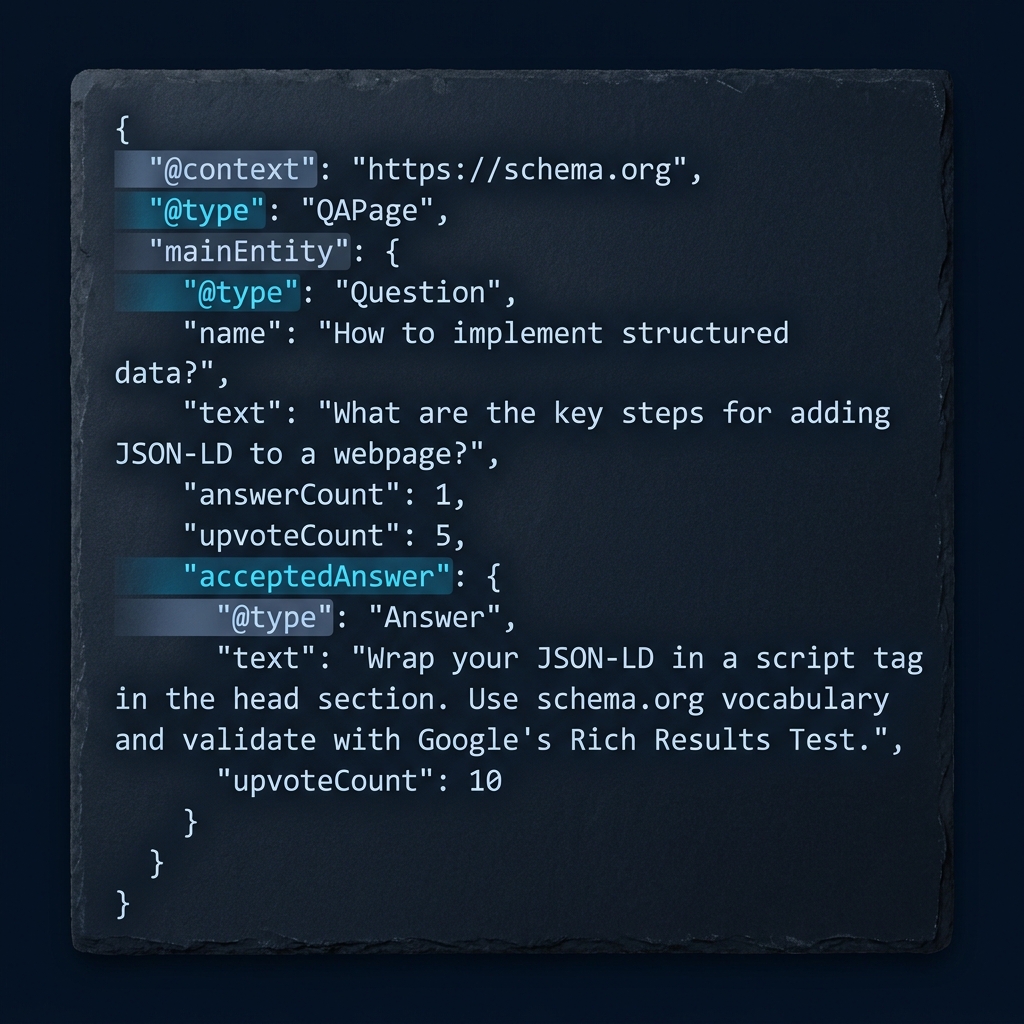
Apply FAQ schema when the page contains genuine, visible question and answer pairs intended to help users, such as support article Q&A or site help pages. Avoid marking up content that is promotional, hidden, or primarily an advertisement, because guidelines require marked-up content to be visible and non-promotional General structured data guidelines.
Do not use FAQ markup simply to add rich results on many near-identical pages. Instead, reserve it for pages where the Q&A content is useful and unique to that page, following the guidance on duplication and user experience Google Search Central FAQ documentation.
How to implement FAQ schema markup: step-by-step
Authoring the JSON-LD
1. Prepare the visible Q&A: gather the exact question text and the exact answer text as they appear on the page. The acceptedAnswer.text in your JSON-LD must match that visible answer to meet content parity expectations Google Search Central FAQ documentation.
2. Build the JSON-LD object: create a single object with @context set to https://schema.org and @type set to FAQPage, then add mainEntity as an array of Question objects each with name and acceptedAnswer.text, following the Schema.org model Schema.org FAQPage.
How do I create a valid FAQ schema snippet that follows current guidance?
Create a single FAQPage JSON-LD object with mainEntity as an array of Question objects, ensure each Question has an acceptedAnswer whose text matches the visible page answer, validate with Schema Markup Validator and then the Rich Results Test, and avoid promotional content inside answers.
3. Add the script tag: insert the JSON-LD script into the page head or immediately before the closing body tag where your templates insert other structured data. Both placements are acceptable if the content is visible to users and the markup is valid.
4. Sanitize and encode: if your answers include characters such as ampersands, angle brackets or quotation marks, ensure they are properly escaped or represented as plain text inside the JSON string to avoid malformed JSON-LD.
Where to place the markup
Include the JSON-LD object once per page. If you place the script in a CMS template, ensure the generated script only appears on pages where the corresponding Q&A are present and visible. This avoids multiple FAQPage objects on a single page or duplicated markup on pages without matching content General structured data guidelines. See Google Search Central structured data docs Google Search Central structured data docs.
Server-side rendered pages and client-side single-page apps can both serve JSON-LD, but when using client-side injection verify that the structured data appears in the page source accessible to crawlers or that server-side rendering provides the markup at initial load.
Integrating with CMS templates

For template systems, generate the mainEntity array from the same data source you use to render the visible Q&A. This ensures the answer text in acceptedAnswer.text is identical to the on-page copy and reduces the risk of mismatch errors noted by validators Google Search Central FAQ documentation.
When adding FAQ schema across many product or support pages, add logic so only pages with unique, relevant Q&A include the markup; avoid site-wide includes that inject identical FAQ content on unrelated pages.
Validation and testing for FAQ schema markup
Quick tests to run
After deployment, run the Google Rich Results Test to check eligibility for Search features; the tool reports whether the page is eligible for FAQ rich results, though passing does not guarantee display in Search results Rich Results Test. See our guide to Google rich results.
Also run the Schema Markup Validator to confirm that your JSON-LD follows Schema.org syntax and semantics; the validator focuses on conformance rather than Search feature eligibility Schema Markup Validator. See our validation guide.
Interpreting test results
A Rich Results Test error like missing acceptedAnswer means a Question item lacks the required acceptedAnswer property; fix by ensuring each Question object includes an acceptedAnswer with @type Answer and a text property. The Rich Results Test output highlights the field and line so you can correct the JSON-LD and re-run the test Rich Results Test.
The Schema Markup Validator flags Schema.org conformance issues, such as incorrect types or malformed JSON. Use the validator output to correct structural errors; once fixed, re-validate both with the Schema Markup Validator and the Rich Results Test to check both conformance and Search eligibility Schema Markup Validator.
Common mistakes, policy limits and how they affect results
Policy and promotional restrictions
Google requires that marked-up content be visible to users and non-promotional, so embedding CTAs, promotional messages or ads inside acceptedAnswer.text can violate guidelines and should be avoided General structured data guidelines.
Since August 2023 Google narrowed how FAQ and HowTo rich results are shown, focusing display on well-known and authoritative sites; even with valid markup, many sites will not see FAQ rich results in Search, although structured data still provides value to other consumers and helps maintain semantic clarity on the page Google Search Central Blog post on changes.
Before adding marketing-style CTAs inside answers, check policies and keep Q&A informational; doing so preserves eligibility and reduces the chance of manual action or reduced visibility in Search. Consider whether the answer should remain concise and informational to align with the guidelines.
Common authoring errors
Typical mistakes include mismatched acceptedAnswer.text that differs from the visible answer, malformed JSON-LD (missing commas or unescaped quotes), multiple FAQPage objects on a single page, and adding the same FAQ markup across many pages without unique content. These issues commonly surface in validator output and are straightforward to correct when you follow the error details provided by the tools Schema Markup Validator.
Fixing these authoring errors usually involves aligning the visible content with the JSON-LD, escaping special characters properly, and ensuring the templating logic only emits the JSON-LD where matching Q&A are present on the page Google Search Central FAQ documentation.
Practical examples, checklist and next steps
Sample page scenarios
Support article FAQ: a help center article with several Q&A pairs about a single topic should include a single FAQPage JSON-LD for that article, with mainEntity listing the relevant Question entries. This keeps the structure simple and directly tied to the page content Google Search Central FAQ documentation.
Embedded product FAQ: for a product detail page, include FAQ schema only if the Q&A are specific to that product and visible on the page; avoid a site-wide include that injects generic Q&A across unrelated product pages to prevent duplication and policy issues General structured data guidelines.
Final checklist
Deployment checklist: author the visible Q&A, create a single FAQPage JSON-LD object with mainEntity Questions and acceptedAnswer.text, place the script in your template where other structured data appears, validate with the Schema Markup Validator for Schema.org conformance and the Rich Results Test for Search eligibility, and monitor Search Console for any structured data issues Rich Results Test.
Maintenance suggestions: review Q&A periodically, re-validate after template or content changes, and avoid duplicating the same Q&A across many pages. Keeping answers concise and non-promotional helps maintain policy compliance and consistent semantic structure General structured data guidelines.
Frequently asked questions
What is FAQ schema markup?
FAQ schema markup is structured data, usually in JSON-LD, that describes on-page questions and answers using a top-level FAQPage and Question items with acceptedAnswer entries.
Will adding FAQ schema guarantee rich results in Google Search?
No. Passing validation does not guarantee display. Since August 2023 Google restricts FAQ rich results and display is not assured even for valid markup.
Which tools should I use to validate FAQ schema?
Use the Google Rich Results Test to check Search eligibility and the Schema Markup Validator to verify Schema.org conformance.
Implementing FAQ schema markup can improve how machines understand your Q&A content and supports consistent data practices across a site. While valid markup does not guarantee rich results in Search, following the structure, content parity and validation steps here helps maintain technical correctness and prepares pages for any future Search feature changes. After deployment, re-check your pages periodically and re-run the validation steps whenever you change templates or update content.
References
- https://schema.org/FAQPage
- https://developers.google.com/search/docs/appearance/structured-data/faqpage
- https://developers.google.com/search/docs/appearance/structured-data/sd-policies
- https://search.google.com/test/rich-results
- https://validator.schema.org/
- https://checkmyschema.com/
- https://developers.google.com/search/blog/2023/08/howto-faq-changes
- https://developers.google.com/search/docs/appearance/structured-data
- https://checkmyschema.com/learn/jsonld-graphs
- https://checkmyschema.com/learn/google-rich-results
- https://checkmyschema.com/articles/schema-markup-validation-verify