Structured data explained
How to check FAQ schema? Practical steps for FAQ schema markup validation
FAQ schema markup guide: validate FAQPage, fix common errors, and use Rich Results Test, Schema Markup Validator and Search Console.
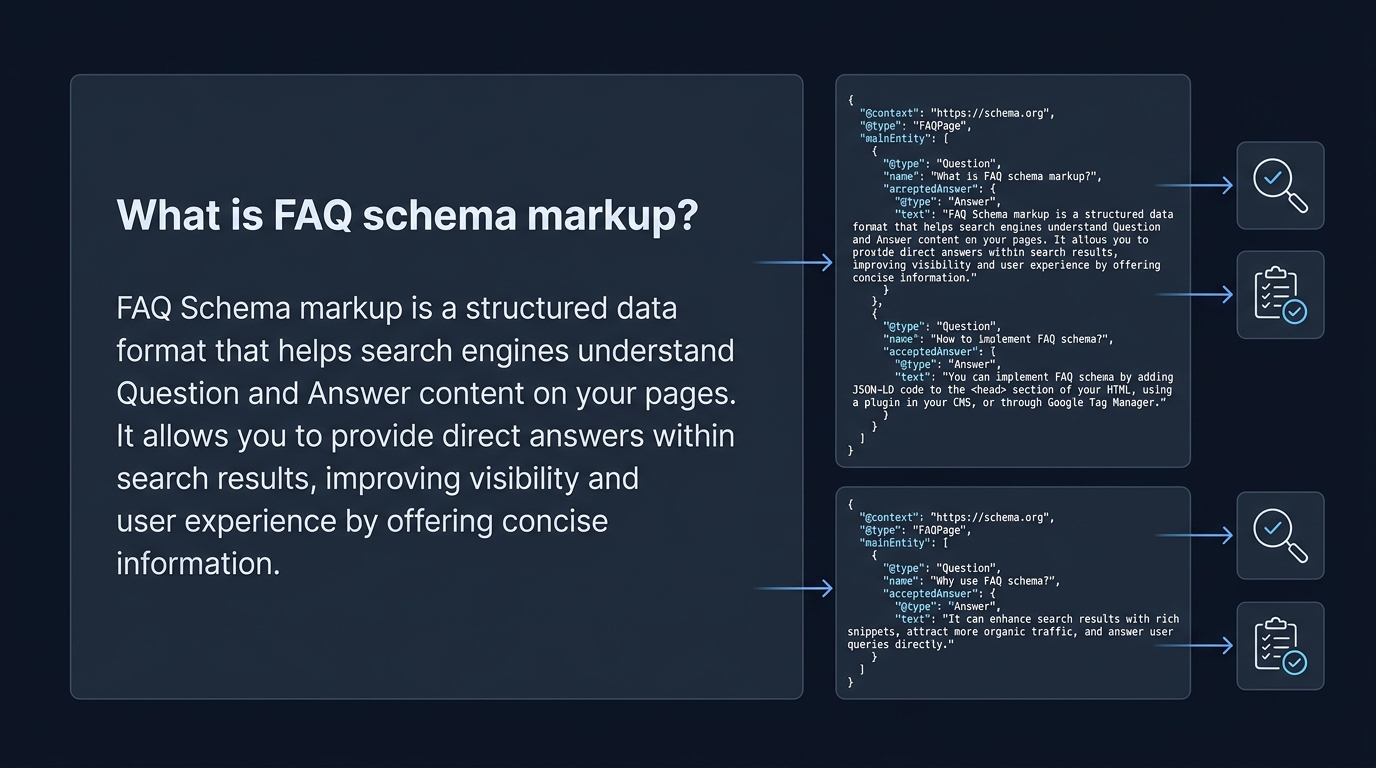
What FAQ schema is and why it matters
Definition: FAQPage and visible content requirement - FAQ schema markup
FAQ schema markup identifies a page as a list of questions and answers using the Schema.org FAQPage type, and in 2026 the marked questions and answers must match the visible page content to be eligible for validation and possible rich results, per Google guidance Google Search Central FAQ documentation.
The core idea is simple: the markup should describe the same questions and answers that users can read without extra interactions. That means answers hidden behind controls that block indexing or content delivered only by client side scripts without visible text can cause validation failures according to Schema.org ranges and Google rules Schema.org FAQPage.
Using structured data for FAQPage helps structured data hygiene, making it easier for search tools and crawlers to find question and answer pairs and to surface them in search features when policy allows, though valid markup alone does not guarantee a search feature display because Google limits FAQ rich results to well known, authoritative sites Google Search Central general guidelines.
Google supports both JSON-LD and Microdata for FAQ markup, but recommends JSON-LD for most implementations because it separates structured data from presentation and is generally easier to maintain across templates and CMS systems Google Search Central general guidelines.
How FAQ markup fits into structured data hygiene
Treat FAQPage markup as an element of overall structured data hygiene: keeping markup accurate, visible and in sync with page content reduces false positives in validators and lowers the chance of accidental policy violations, which helps site owners maintain consistent indexing signals Google Search Central FAQ documentation.
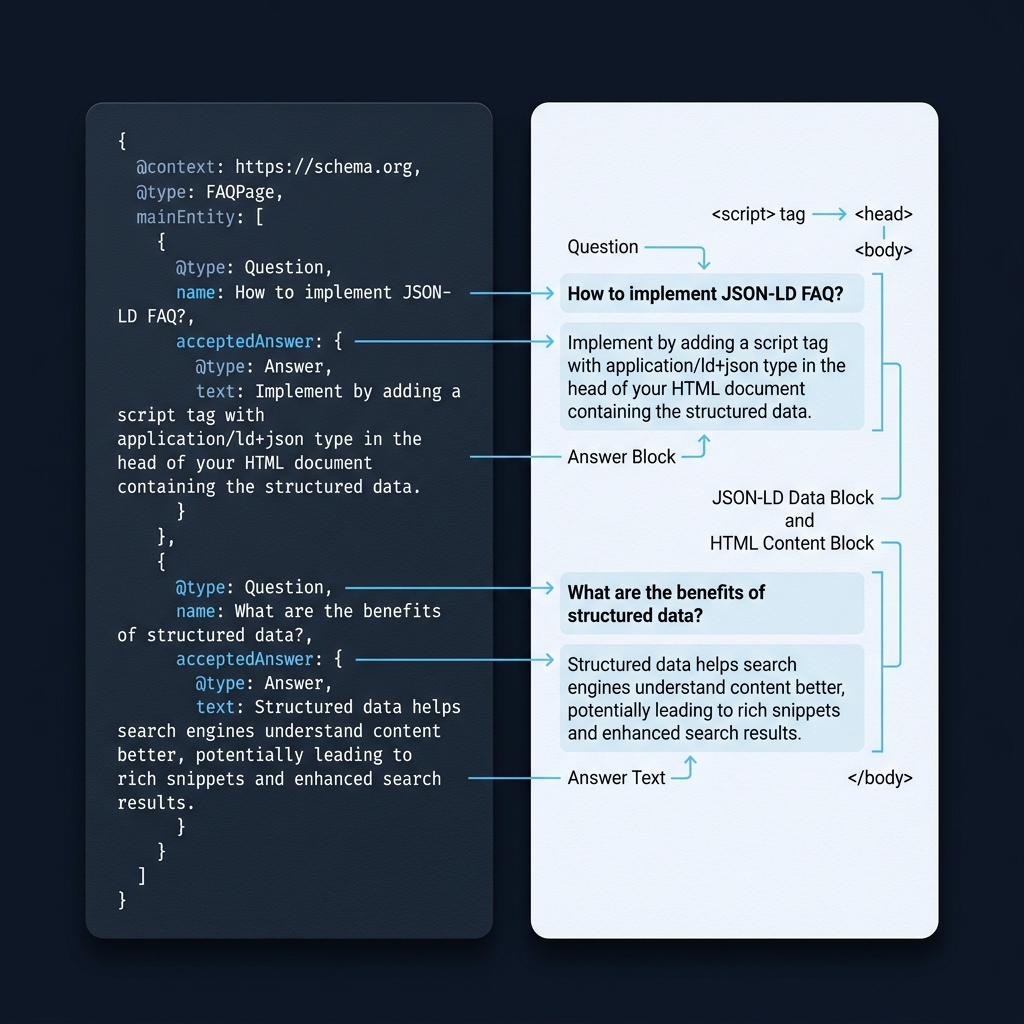
In practice that means updating both the page text and the JSON-LD whenever you edit questions or answers, avoiding duplicate or hidden answers, and preferring clear property names such as name for the question and acceptedAnswer for the answer as defined by Schema.org Schema.org FAQPage.

Quick checklist: can this page use FAQ schema?
Before you add FAQ markup, run a quick eligibility checklist: confirm the page lists clear question lines with matching visible answers, answers are not hidden behind click events that prevent indexing, the content is intended for site visitors rather than exclusively for search engines, and the page is not a thin or autogenerated Q and A that would violate site quality expectations Google Search Central FAQ documentation.
If the answers are visible and match on-page text, the page is a candidate for FAQPage markup; if not, do not add the markup until you make content visible and accurate to users Schema.org FAQPage.
Checklist items to verify include: the question node has a name property, the answer node uses acceptedAnswer or suggestedAnswer, answers are present as readable text on the page, and you use JSON-LD where possible for simpler templates and maintenance Google Search Central general guidelines.
Keep in mind that site authority and policy constraints affect whether Google shows an FAQ rich result, so even correct markup may not produce a visible rich result for every site Google Search Central FAQ documentation.
How to test FAQ schema: tools and step by step
Using the Rich Results Test for eligibility and errors
Start with the Rich Results Test to check eligibility and detect errors against Google s rich result types; you can test a live URL or paste a code snippet and the tool will report whether the page is eligible for FAQ rich results and list specific issues to fix Rich Results Test. See our guide on Google rich results checkmyschema guide.
When you run the Rich Results Test, focus on the reported errors and warnings that relate to FAQPage or Question and Answer nodes, then prioritize fixes that remove errors first because warnings do not always block eligibility but can indicate fragile implementations Rich Results Test.
How do I confirm my FAQ markup is valid and detected by Google?
Run the Rich Results Test to check eligibility and errors, use the Schema Markup Validator to confirm Schema.org conformance, then use Search Console URL Inspection to fetch the live URL and request reindexing after fixes.
Using the Schema Markup Validator for Schema.org compliance
Next, validate the same code with the Schema Markup Validator to confirm Schema.org conformance and to see parsed nodes and property details; this helps catch structural issues such as incorrect property names or wrong value types that the Rich Results Test might not flag in the same way Schema Markup Validator. You can also compare parsed results with community tools such as Attensira's Schema validator, and see our validation notes here.
Use the validator s parsed node view to confirm each Question has a name and each Answer is an acceptedAnswer or suggestedAnswer with a text property or equivalent visible content, and correct any mismatched types before re-testing Schema Markup Validator.
Using Search Console URL Inspection after fixes
After you fix validation errors on a live page, use Search Console s URL Inspection tool to fetch the live URL, view detected structured data on the indexed page, and check for any remaining rich result issues reported there; the tool also lets you request reindexing when the page is ready Inspect a URL.
Run the Rich Results Test and Schema Markup Validator again after code edits, then request reindexing via Search Console to speed up the next crawl and to see whether the updated structured data is detected by Google s live index tools Rich Results Test.
Common validation failures and how to fix them
Visibility and content mismatch issues
A frequent failure is marking content that is not visible or that does not match the on-page text; ensure the question and the answer in your markup are literally present and visible to users on the page because Google requires a match between markup and visible content for FAQ eligibility Google Search Central FAQ documentation. For formatting questions, community threads can be helpful, for example see this discussion on JSON-LD formatting support thread.
Fix this by updating the page content first so the visible question and answer are correct, then update the JSON-LD to match exactly. Changes should be applied to both the template and any dynamic rendering pipeline that injects content so the served HTML contains readable text.
Run these tools to triage FAQ schema problems
Incorrect nesting and missing required properties
Structural errors commonly cause failures, for example placing Answer properties outside a Question node or missing the acceptedAnswer property; verify each Question object includes a name property and an acceptedAnswer or suggestedAnswer per Schema.org ranges Schema.org FAQPage.
Resolve structural issues by matching the Schema.org model: nest Answer nodes inside the respective Question node, use correct property names, and avoid extra wrapper objects that break parsing. After corrections, re-run both validators to confirm the parser now recognizes each Question and Answer pair Schema Markup Validator.
Other practical fixes include converting Microdata fragments to JSON-LD if your template makes JSON-LD easier to manage, and ensuring your site s caching and rendering do not strip or rewrite the structured data before it reaches crawlers Google Search Central general guidelines. For an example of structured data patterns that earn rich results, see this overview structured data examples.
After validation: monitoring and expectations
When to request reindexing

Once Rich Results Test and the Schema Markup Validator show no errors, use Search Console URL Inspection to fetch the live page and confirm Google detects the updated structured data; if the inspection view shows the structured data, you can request indexing to prompt a re-crawl Inspect a URL.
Do not expect immediate appearance of a rich result: Google may still decline to show an FAQ rich result due to site authority or policy constraints, so treat reindexing as a step that ensures the index has the corrected structured data rather than a guarantee of display Google Search Central FAQ documentation.
Understanding rich result limits and monitoring for changes
Monitor the Search Console structured data report and performance impressions for affected pages on a weekly cadence initially, then monthly once the pattern is stable; these signals help you spot regressions or recurring formatting errors that might reappear after site updates or template changes Inspect a URL.
Keep structured data checks in your release process so that content edits always include a quick validator pass to catch accidental mismatches, and remember that maintaining accurate FAQ markup is valuable for structured data hygiene even if a rich result never appears Google Search Central general guidelines.
Practical example and troubleshooting checklist
Quick walkthrough of a failing page and the steps to fix it
Imagine a page where the FAQ answers are contained in tabs and only load after a user clicks; the Rich Results Test flags the FAQ as missing or not eligible because the answer text is not present in the served HTML. The correct step is to ensure the answer text is present in the HTML snapshot that crawlers see, or to render server side so the visible content and the markup match Rich Results Test.
Step by step, update the page so the answers are included in the initial HTML, update the JSON-LD so name and acceptedAnswer fields exactly match the visible labels and text, re-run the Schema Markup Validator and the Rich Results Test, then use Search Console s URL Inspection to request indexing Schema Markup Validator.
Final checklist to run before reindexing
Before you request reindexing, verify: the Rich Results Test reports eligibility or no blocking errors, Schema Markup Validator shows correct parsed nodes, Search Console s inspection displays the structured data, and the page s visible text exactly matches what the markup declares Rich Results Test.
Also confirm you used JSON-LD where feasible for maintainability, that answers are not hidden from users, and that you have version control or a deployment note to revert if a change causes unexpected parsing issues Google Search Central general guidelines.
Frequently asked questions
What is the required property for a question in FAQ markup?
Each Question object should include a name property and a nested acceptedAnswer or suggestedAnswer with the answer text.
Which format should I prefer for implementing FAQ markup?
Google recommends JSON-LD for easier implementation and maintenance, though Microdata is still supported.
If validators show no errors, will my FAQ rich result appear immediately?
No, valid markup improves eligibility but Google may still not show an FAQ rich result due to site authority or policy constraints.
Validating FAQ schema markup is a practical maintenance task: it reduces parsing errors and keeps your structured data accurate even if Google does not show a rich result for every page. Keep checks in your deployment process and monitor Search Console to catch regressions. Follow the step by step tool flow described here whenever you update Q and A content so your markup and page content remain synchronized.
References
- https://developers.google.com/search/docs/appearance/structured-data/faqpage
- https://schema.org/FAQPage
- https://developers.google.com/search/docs/appearance/structured-data/sd-policies
- https://checkmyschema.com/
- https://checkmyschema.com/learn/jsonld-graphs
- https://checkmyschema.com/learn/google-rich-results
- https://checkmyschema.com/articles/schema-markup-validation-verify
- https://search.google.com/test/rich-results
- https://validator.schema.org/
- https://support.google.com/webmasters/answer/9012289
- https://www.attensira.com/tools/schema-validator
- https://support.google.com/webmasters/thread/25480000/faq-structured-data-json-ld-formatting?hl=en
- https://mergeflo.com/blog/can-you-give-me-an-example-of-structured-data