Structured data explained
Validate JSON Schema in REST Assured
A practical, current guide to validating API responses against JSON Schema in REST Assured, including drafts 06/07/2019-09/2020-12, code examples, and pitfalls to avoid.
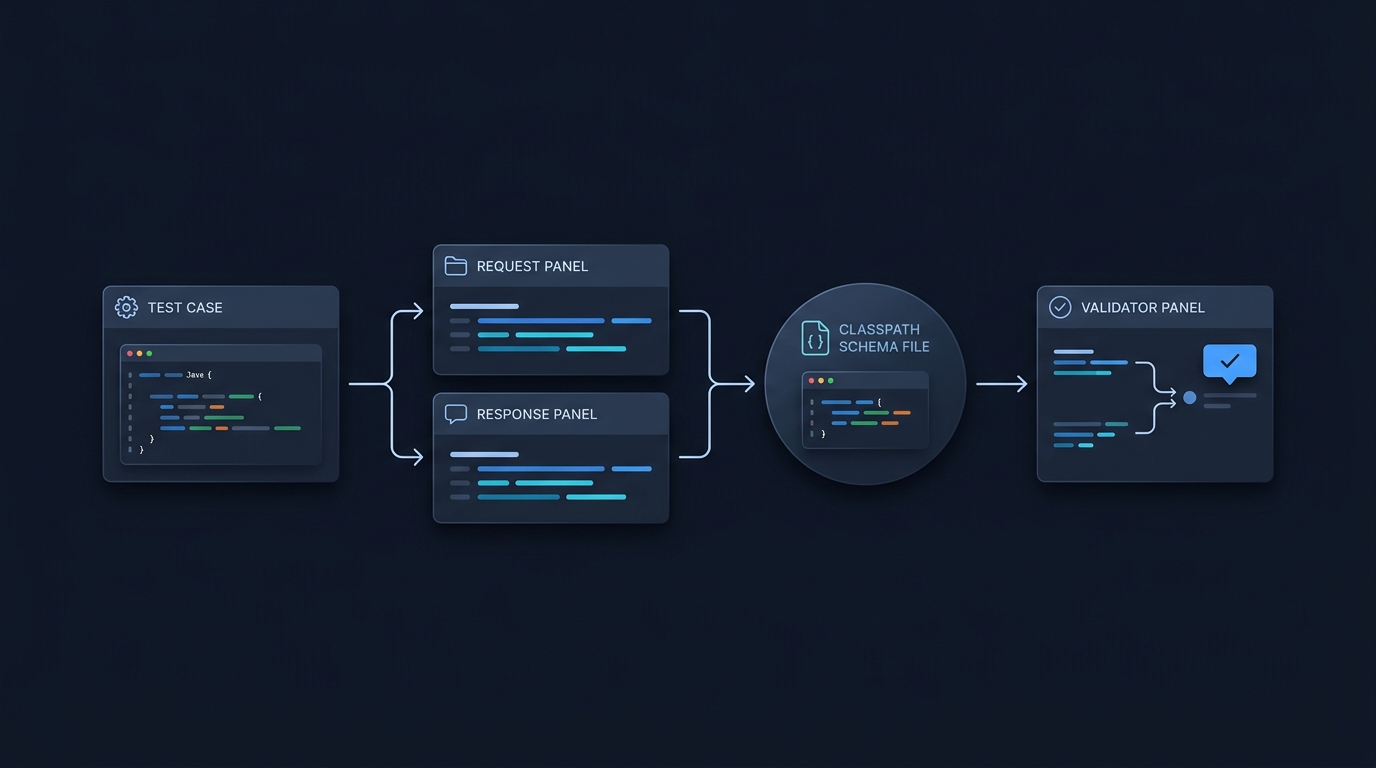
Short answer: add the REST Assured json-schema-validator module to your test project, place your schema file on the classpath, then assert the response body with matchesJsonSchemaInClasspath. REST Assured 6.1.0+ reads the $schema in your file and validates with the right draft (06/07/2019-09/2020-12). Formats in 2019-09/2020-12 are annotations and aren’t asserted by default (REST Assured Usage wiki).
What you need
- Dependency for REST Assured’s JSON Schema validator:
<dependency>
  <groupId>io.rest-assured</groupId>
  <artifactId>json-schema-validator</artifactId>
  <version>6.3.0</version>
</dependency>

<!-- Also add the HTTP testing core; keep versions aligned. -->
<dependency>
  <groupId>io.rest-assured</groupId>
  <artifactId>rest-assured</artifactId>
  <version>6.3.0</version>
  <scope>test</scope>
</dependency>
Citation: Usage wiki.
- Static imports for a clean DSL:
import static io.restassured.RestAssured.*;
import static io.restassured.module.jsv.JsonSchemaValidator.*;
import io.restassured.module.jsv.JsonSchemaVersion;
import org.junit.jupiter.api.Test;
Citations: Usage wiki, JsonSchemaValidator.java.
Minimal working example
1) Save your schema at src/test/resources/schemas/account-schema.json:
{
  "$schema": "https://json-schema.org/draft/2020-12/schema",
  "type": "object",
  "properties": {
    "status": { "const": "active" }
  },
  "required": ["status"]
}
2) Add this method to a JUnit Jupiter test class, using the imports above and your project’s JUnit Jupiter dependency. Configure the real test API base URI before running the relative endpoint. The example assumes that /accounts/1 returns a successful response containing {"status":"active"}; it is not a public demonstration API.
@Test
public void account_matches_schema() {
  given()
    .when()
      .get("/accounts/1")
    .then()
      .statusCode(200)
      .body(matchesJsonSchemaInClasspath("schemas/account-schema.json"));
}
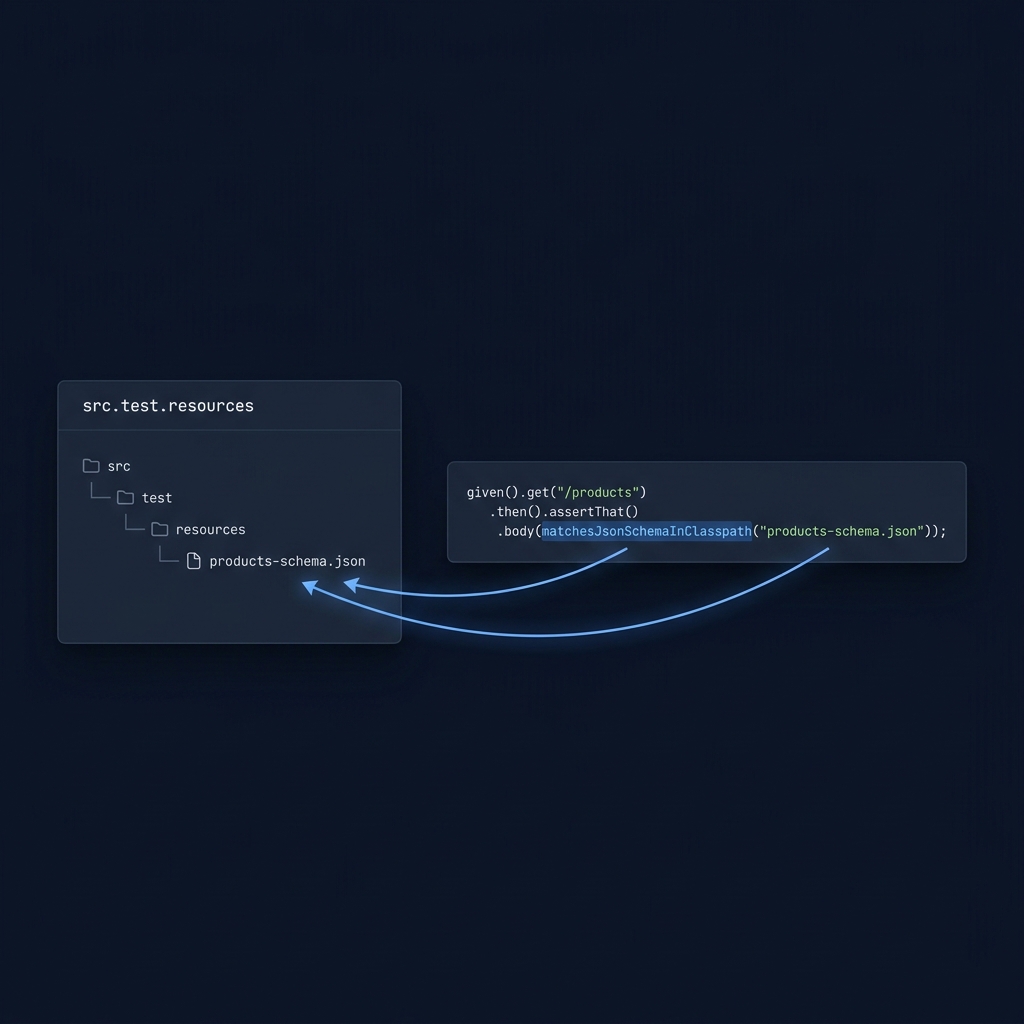
REST Assured’s validator will read $schema and validate using the 2020-12 draft. If your schema omits $schema, you can tell REST Assured which draft to use (see next section). Citations: Usage wiki.
Choosing the JSON Schema draft
- Automatic: REST Assured 6.1.0+ supports draft-06, draft-07, 2019-09 and 2020-12 in addition to draft-03/04. It reads $schema in your file and uses that draft.
- Explicit (when $schema is missing):
@Test
public void enforce_draft_2020_12_when_schema_lacks_meta() {
  given()
    .when()
      .get("/accounts/1")
    .then()
      .body(matchesJsonSchemaInClasspath("schemas/account-schema.json")
        .using(io.restassured.module.jsv.JsonSchemaVersion.DRAFT_2020_12));
}
A $schema declared in the schema always takes precedence over a configured version. Also note: in drafts 2019-09 and 2020-12, format is an annotation and isn’t asserted by default, per both REST Assured’s docs and the JSON Schema specification (Usage wiki, Understanding JSON Schema).
Practical tips and common pitfalls
- Put schemas on the classpath and use matchesJsonSchemaInClasspath for simple, reliable loading (Usage wiki).
- Relative $refs: these resolve when the schema has a real location, such as a classpath resource, File, URL or URI. They don’t resolve when the schema is passed as a plain String/InputStream/Reader because there’s no base URI to anchor references (Usage wiki).
- Expect new keywords to bite after upgrading: const (draft-06+) and if/then/else (draft-07+) are enforced when the matching dialect is selected; a test that passed before can start failing because the response truly doesn’t match your schema (Usage wiki).
- format in 2019-09/2020-12: strings like email or date are annotated, not asserted by default. If you need strict checks, use a suitable format validator or an explicit application assertion; a casual regular expression is not a complete email or date validator (Usage wiki, Understanding JSON Schema).
- Static imports matter: unqualified calls such as matchesJsonSchemaInClasspath need the matching static import. Alternatively, qualify the method with its class name (Usage wiki).

Validating without making an HTTP call
You can also validate a raw JSON string with the same matcher API:
import static org.hamcrest.MatcherAssert.assertThat;

@Test
public void validate_raw_json_against_schema() {
  String json = "{\"status\":\"active\"}";
  assertThat(json, matchesJsonSchemaInClasspath("schemas/account-schema.json"));
}
Citations: Usage wiki, JsonSchemaValidator.java.
Related reading on CheckMySchema
- How can I check if my JSON Schema is valid?
- How do I write a JSON Schema? Practical steps with readOnly and writeOnly
Put this into practice
Keep a valid fixture and a deliberately invalid fixture beside the schema in version control. Run both after a dependency or dialect change; a test that always passes may be ignoring the keyword you intended it to enforce.
Before-you-commit JSON Schema test checklist
FAQ
Can I load schemas from a File, URL or URI?
Yes. JsonSchemaValidator has overloads for File, URL and URI if you prefer not to use the classpath (JsonSchemaValidator.java).
What’s the difference between JSON parsing and JSON Schema validation?
Parsing checks that your JSON is syntactically valid. JSON Schema validation checks that a valid JSON instance conforms to a structural contract you define. REST Assured’s matcher performs the latter against your schema (Usage wiki).

Schema checks cover only part of an API test. Stack & Method discusses the broader request, response and behaviour checks. How to validate an API.