Structured data explained
How do I write a JSON Schema? Practical steps with readOnly and writeOnly
A concise guide to writing a JSON Schema with draft 2020-12, showing where readOnly and writeOnly fit, plus small request/response examples and validation tips.
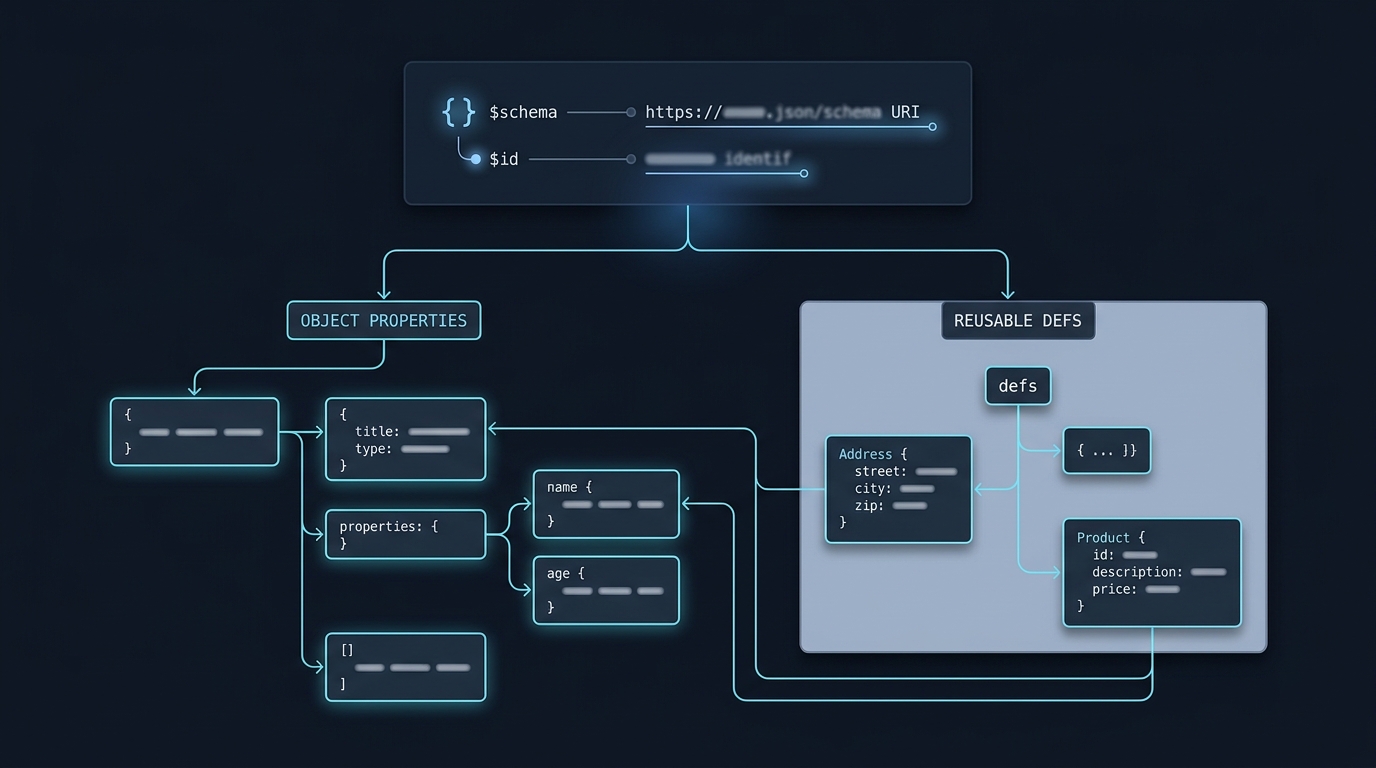
Write a JSON Schema by declaring the meta-schema with $schema, giving your schema a stable $id, defining the root type and its properties and required list, and then validating example instances with a validator. For API payloads, mark server-generated fields readOnly and secrets writeOnly, noting these are annotations that don’t change validation outcomes on their own (Creating your first schema, JSON Schema annotations).
Start with the data and the rules you need
List the expected fields, their types and which ones must be present. properties describes fields; it does not require them, so use required explicitly. Allow null only when it has a defined meaning. Decide whether unknown properties should be accepted, and add suitable size or value bounds rather than relying on field names to imply a type.
Use a validator that supports the declared draft. A schema’s $id identifies it; an example.com identifier in this article is illustrative, not a live schema download. Register that schema locally in your validator or replace the reference with your own published identifier. The example base schema below requires email but leaves context-specific requirements to the request and response schemas.
What readOnly and writeOnly really mean
The readOnly and writeOnly keywords are annotations intended for API contexts. They describe intent but do not themselves make validation pass or fail. In practice: readOnly says a value should not be modified (think: set by the server and not accepted on writes), and writeOnly says a value may be provided but should remain hidden in outputs (think: passwords). These are non-validation hints for tooling and API behavior (JSON Schema annotations; also illustrated in Tour of JSON Schema).
Write a small 2020-12 schema that uses readOnly and writeOnly
This complete, strict JSON Schema targets draft 2020-12 and models a simple User. The server assigns id (readOnly), while password is only accepted on write (writeOnly). Titles and descriptions annotate your schema and do not affect validation (Creating your first schema; Annotations).
{
  "$schema": "https://json-schema.org/draft/2020-12/schema",
  "$id": "https://example.com/schemas/user.json",
  "title": "User",
  "description": "User payload for an API",
  "type": "object",
  "properties": {
    "id": {
      "type": "string",
      "description": "Server-assigned identifier",
      "readOnly": true
    },
    "email": {
      "type": "string",
      "description": "User email"
    },
    "password": {
      "type": "string",
      "description": "Password provided on write only",
      "writeOnly": true,
      "minLength": 8
    }
  },
  "required": ["email"]
}
Example instances (illustrative)
Write (request) example that would typically be accepted by an API using the schema above:
{
  "email": "lee@example.com",
  "password": "example-only-123"
}
Read (response) example the server might return:
{
  "id": "u_123",
  "email": "lee@example.com"
}
Because readOnly/writeOnly are annotations, validators generally won’t fail if a writeOnly field appears in a response or a readOnly field appears in a request unless you add explicit rules for those contexts (JSON Schema annotations).
How to enforce per-context rules with JSON Schema
If you want strict enforcement, derive context-specific schemas that explicitly forbid fields. Below, UserWrite forbids id on writes, and UserRead forbids password on reads.
UserWrite (for account-creation requests):
{
  "$schema": "https://json-schema.org/draft/2020-12/schema",
  "allOf": [
    { "$ref": "https://example.com/schemas/user.json" },
    { "required": ["password"], "not": { "required": ["id"] } }
  ]
}
Valid write instance:
{
  "email": "lee@example.com",
  "password": "example-only-123"
}
Invalid write instance (id present):
{
  "id": "u_123",
  "email": "lee@example.com",
  "password": "example-only-123"
}
UserRead (for responses):
{
  "$schema": "https://json-schema.org/draft/2020-12/schema",
  "allOf": [
    { "$ref": "https://example.com/schemas/user.json" },
    { "required": ["id"], "not": { "required": ["password"] } }
  ]
}
Valid read instance:
{
  "id": "u_123",
  "email": "lee@example.com"
}
Invalid read instance (password should be absent):
{
  "id": "u_123",
  "email": "lee@example.com",
  "password": "example-only-123"
}
These examples deliberately keep required fields out of the shared base when their requirement differs by context. Adding allOf cannot remove a requirement imposed by a referenced schema. A request-only password requirement in the base would make a password-free response fail, even with writeOnly. Creation and partial-update payloads may need separate rules.
A default value is also an annotation, not an instruction for a validator to insert missing data. Similarly, check how your validator handles format assertions before relying on them. The password length here is an illustrative validation constraint, not a complete authentication policy.
Test your schema and iterate
After authoring, validate example data against your schema with a validator in your language. Validators take a schema and an instance and return a validation result; use both positive and negative examples to confirm behavior (Creating your first schema). For broader modeling topics, see our explainer on what JSON Schema is used for in practice, and for controlling unexpected keys explore additionalProperties in JSON Schema.

Before you publish your schema
Short FAQ
Do readOnly and writeOnly affect validation?
No. They are annotation keywords used to describe behavior, typically in APIs. They do not change validation by themselves (JSON Schema annotations).
Why add $schema and $id?
$schema declares the draft you target, and $id provides a canonical URI so you can reference your schema (or its parts) from other documents (Creating your first schema).

A useful next step
When the data you describe travels through an API, Stack & Method provides useful payload context. What is a payload in a REST API?.