Structured data explained
How do you nest objects in JSON?
A clear, source-backed guide to nesting objects in JSON and JSON-LD, with practical examples and a quick checklist.
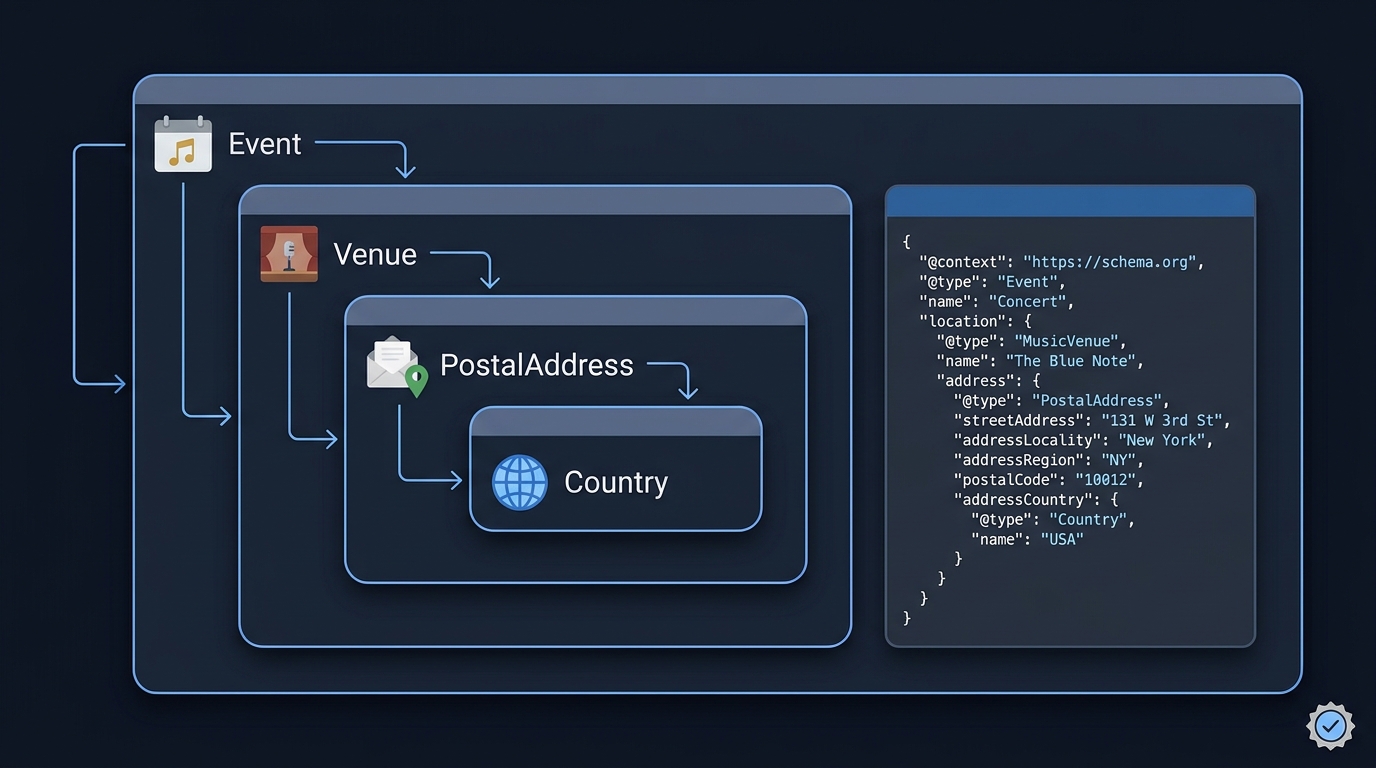
You nest objects in JSON by using another object as the value of a property. In JSON-LD, nested objects can also describe related entities, using a context and suitable types. Not every nested JSON-LD object needs its own @type; use it where it identifies the entity you intend to describe. This kind of nesting is standard JSON, and is particularly natural in JSON-LD for structured data.
Basic JSON nesting
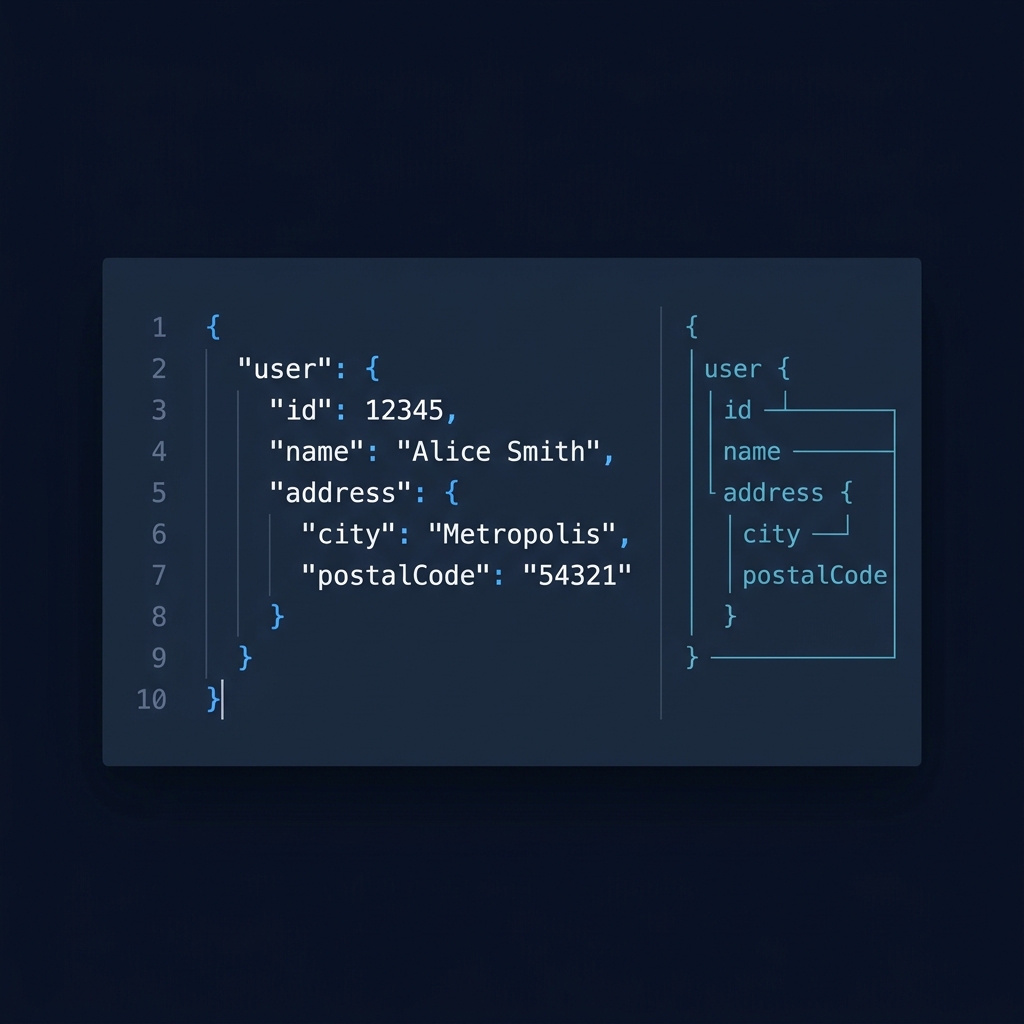
In JSON, an object is a set of name/value pairs where names (keys) are strings. A property’s value can be another object, which is exactly how you nest:
{
  "name": "Venue",
  "address": {
    "streetAddress": "123 High St",
    "addressLocality": "London",
    "addressRegion": "London",
    "postalCode": "SW1A 1AA"
  }
}
Keys must be strings, and objects are written with curly braces. This person/address pattern is a common example of nesting (Understanding JSON Schema (PDF), p.13). The JSON object rules, including that keys are strings, are summarized in the JSON Schema reference for objects (JSON Schema - object).
Nesting in JSON-LD (schema markup)
JSON-LD is JSON plus linked data keywords. You still nest plain JSON objects, but you identify types with @type and supply a @context. This makes deeply nested items straightforward, for example an Event with a MusicVenue location, which has a PostalAddress, which has a Country. Google explicitly notes JSON-LD makes such nested data items easier to express (Intro to structured data), and the JSON-LD syntax is defined by W3C (JSON-LD 1.1 (W3C)).
{
  "@context": "https://schema.org",
  "@type": "Event",
  "name": "Evening Concert",
  "startDate": "2026-11-05T19:30:00+00:00",
  "location": {
    "@type": "MusicVenue",
    "name": "River Hall",
    "address": {
      "@type": "PostalAddress",
      "streetAddress": "1 Riverside Way",
      "addressLocality": "Bristol",
      "postalCode": "BS1 5DL",
      "addressCountry": {
        "@type": "Country",
        "name": "UK"
      }
    }
  }
}
The concert, venue, date and address above are fictional teaching data, not an event offer or a complete rich-result implementation. Each nested value is a JSON object, with @type clarifying its role. Use arrays if you have multiple items (for example, multiple performers or images). Google also recommends JSON-LD for structured data and provides validation via the Rich Results Test (Intro to structured data).
Arrays with nested objects
You can nest arrays and objects in any combination. For example, an array of orders where each order has a nested customer object:
{
  "orders": [
    {"id": "A1", "customer": {"name": "Kai"}},
    {"id": "A2", "customer": {"name": "Rin"}}
  ]
}
Common pitfalls and quick fixes
- Keys must be strings. Numeric or boolean keys are invalid JSON (JSON Schema - object).
- Missing vs null: omitting a property is different from setting it to null. The required keyword checks presence. A separate type constraint decides whether null or another value is permitted (JSON Schema - object).
- JSON-LD structure: a root @context is a common starting point, but JSON-LD also supports nested and scoped contexts. Use @type where the model calls for it (JSON-LD 1.1 (W3C)).
- Validate early: lint your JSON, and for schema markup run Google’s Rich Results Test to catch modeling or syntax issues (Intro to structured data).
Put this into practice
Parse the exact nested example before adding linked-data meaning to it. Check a present value, a missing property and null separately when applying a schema; those are different cases rather than three spellings of the same data.
Nesting objects: a quick build-and-check list
Related reading on CheckMySchema

For the surrounding API context, Stack & Method explains how a JSON payload fits into a request or response. What is a payload in a REST API?.