Structured data explained
What is website page schema?
Website page schema describes a page and its subject. Separate WebPage from Organization or Article, use truthful identifiers and verify the actual deployed markup.

Website page schema usually means structured data describing a page and its content. Schema.org’s WebPage type represents the page itself. Other entities can describe the article, organisation or product that the page discusses. Keep those roles distinct instead of treating every object as another name for the same thing.
Describe the page and its subject
A page has its own address, name and relationship to other content. Its subject can have a different identity. For example, an About page is a WebPage; the company it describes is an Organization. An article can similarly have an Article entity linked to the page that contains it.
Google’s introduction to structured data explains how explicit markup helps it interpret page content. Google recommends JSON-LD, although it also supports other formats. Adding a generic WebPage object alone is not a promise of a special result, indexing or a ranking increase.
Use a small, truthful model
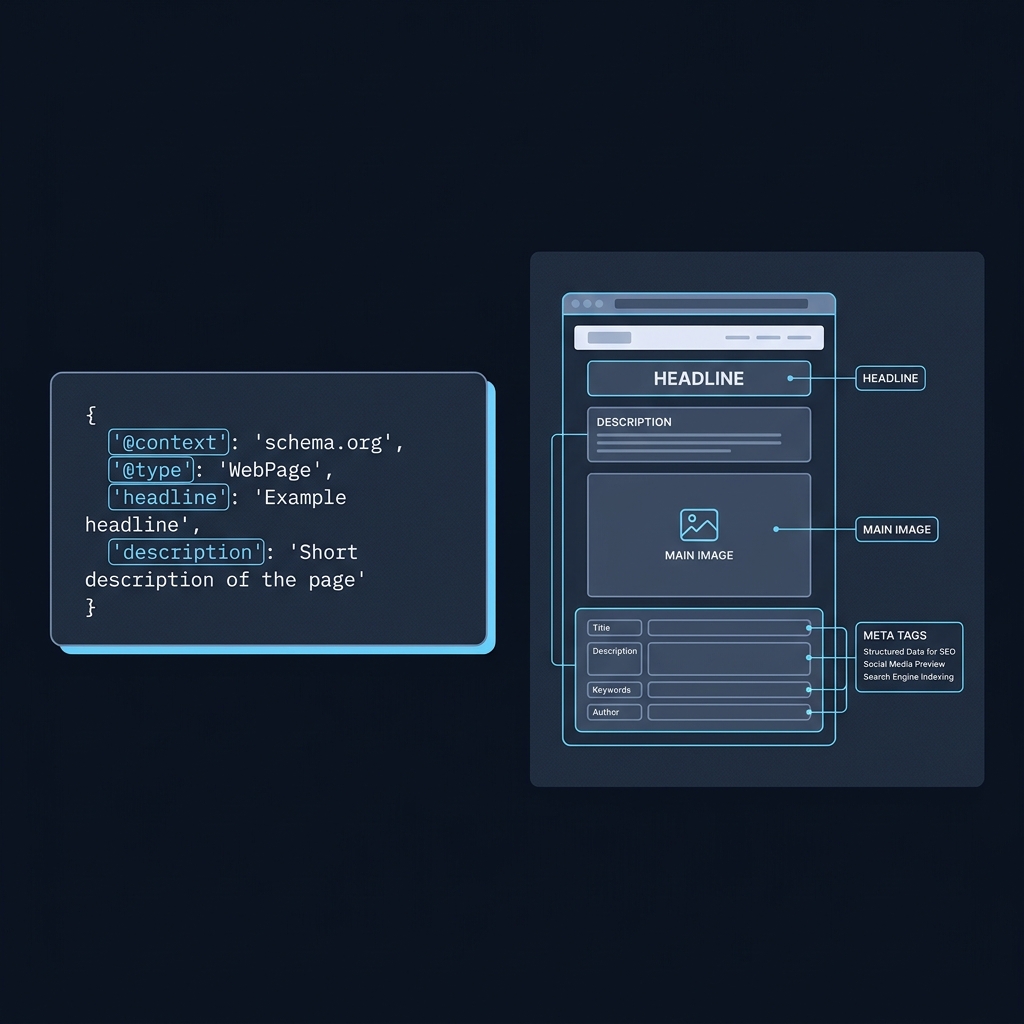
This fictional example separates the page from its organisation and connects them with an identifier. The @id values identify graph entities; the url values describe their web addresses. Replace the example domain, names and relationships with real details before deploying it.
{
  "@context": "https://schema.org",
  "@graph": [
    {
      "@type": "WebPage",
      "@id": "https://example.com/about/#page",
      "url": "https://example.com/about/",
      "name": "About Example Company",
      "about": {
        "@id": "https://example.com/#organization"
      }
    },
    {
      "@type": "Organization",
      "@id": "https://example.com/#organization",
      "name": "Example Company",
      "url": "https://example.com/"
    }
  ]
}
The two objects describe different things even though they belong to the same website. Keeping their identifiers stable makes it easier to refer to them elsewhere in the graph without copying conflicting versions of the organisation’s details.
Do not confuse url and sameAs
Schema.org’s url property describes an item’s web address. For the page entity, use its intended public address consistently with your canonical setup. Setting this property does not itself create an HTML canonical link or redirect.
sameAs is for another reference page that clearly identifies the same entity. A genuine official company profile can belong on that company entity. An article that merely mentions the company, a competitor or a loosely related topic is not automatically the same entity.
The example omits sameAs because no real external identity reference has been supplied. An empty field or an invented profile is less useful than leaving an optional relationship out. Check every identity link before adding it.
Validate the right layer
- Parse the JSON to catch syntax errors.
- Check the Schema.org types and properties, their expected values and the relationships between entities.
- If you target a specific Google search feature, check that feature’s current documentation and Rich Results Test requirements.
- Inspect the deployed URL to confirm the actual HTML contains the intended markup and describes visible, accurate content.
A generic vocabulary check and Google’s feature-specific test answer different questions. A WebPage entity need not produce a dedicated rich-result type in the latter. Keep useful descriptive markup accurate without adding unrelated types just to obtain another green test result.
Put this into practice
Sketch the page and its main subject as separate entities before creating identifiers. Check the deployed graph against the visible page and actual canonical rather than adding types merely to obtain another positive test result.
Plan a page’s structured data
Related guides
