Structured data explained
What does JSON-LD mean? A practical look at the schema markup id property
schema markup id property explained, why @id matters in JSON-LD for consistent entity identity and structured data validation.
Quick answer: what JSON-LD means and the role of the schema markup id property
One-paragraph definition
JSON-LD is the W3C Recommendation for expressing Linked Data in JSON, using a small set of keywords to map terms to IRIs, declare types, assign identifiers and group nodes; this approach makes structured data portable and machine-readable across sites and tools, and it is the foundation of modern schema markup workflows, JSON-LD definition.
What does the schema markup id property do in JSON-LD?
The schema markup id property, implemented as @id in JSON-LD, assigns an IRI to a node so the same entity can be consistently referenced and merged across documents.
Why @id matters for entity identity and SEO
The @id keyword implements the schema markup id property by assigning an IRI to a node so that the same entity can be referenced across pages and merged into a single graph when consumers process linked data, as defined by the JSON-LD 1.1 recommendation W3C JSON-LD 1.1 recommendation.
For search features, Google accepts JSON-LD as a structured data format and requires pages to follow its structured data guidelines to be eligible for rich results, but correct use of @id helps ensure consistent identity without promising a specific display in search results Google Search Central structured data guide. See CheckMySchema's guide on Google rich results.
Core JSON-LD building blocks: @context, @type, @id and @graph
What @context does
@context maps short terms to full IRIs so a compact JSON object can be interpreted as linked data; using the canonical schema.org context or another resolvable context helps consumers understand which vocabulary you mean, which is central to the JSON-LD 1.1 model W3C JSON-LD 1.1 recommendation. See the JSON-LD API best practices for additional guidance API best practices.

In practice @context entries translate local keys like name or author into unambiguous identifiers, and a resolvable @context reduces ambiguity when different vocabularies are mixed on the same page. See our JSON-LD graphs guide for examples.
Declaring types with @type
The @type keyword declares the schema type for a node, for example Person or Article, and tells consumers which properties are expected and how to interpret values in the node.
A short pseudo-JSON example helps: {"@context":"https://schema.org","@type":"Article","name":"Title"}. This snippet shows how @type directs the vocabulary without repeating full IRIs in every property.
How @id identifies nodes
The @id keyword is the IRI-based identifier for a node; it can be an absolute URL and serves as the stable handle that other documents and nodes can reference to indicate the same entity, which supports graph merging and consistent identity W3C JSON-LD 1.1 recommendation.
Short example: {"@context":"https://schema.org","@id":"https://example.com/authors/123","@type":"Person","name":"A. Author"} - here the @id points to a canonical IRI that can appear on multiple pages so processors recognize the same person.

Grouping nodes with @graph
The @graph keyword lets you include multiple top-level nodes in one JSON-LD document without nesting them inside other properties, which is useful when a page describes several related entities such as an Article, its author, and a publisher node W3C JSON-LD 1.1 recommendation.
Example structure: {"@context":"https://schema.org","@graph":[{...article node...},{...author node...}]}. Using @graph keeps each node separate while preserving references between them via @id values.
How the schema markup id property works in practice
Choosing an IRI for @id
Choose an @id value that is an absolute IRI, typically a canonical URL for the entity, because IRIs are globally unique and resolvable when appropriate; for page-level objects the page URL is a common choice while for shared entities a separate canonical entity URL is often better JSON-LD processing guidance. See JSON-LD best practices here.
Dos and don'ts: Do use HTTPS canonical URLs where possible and keep identifiers stable over time; do not use relative paths or transient query parameters as @id unless you intend that identifier to be transient.
Referencing and graph merging across pages
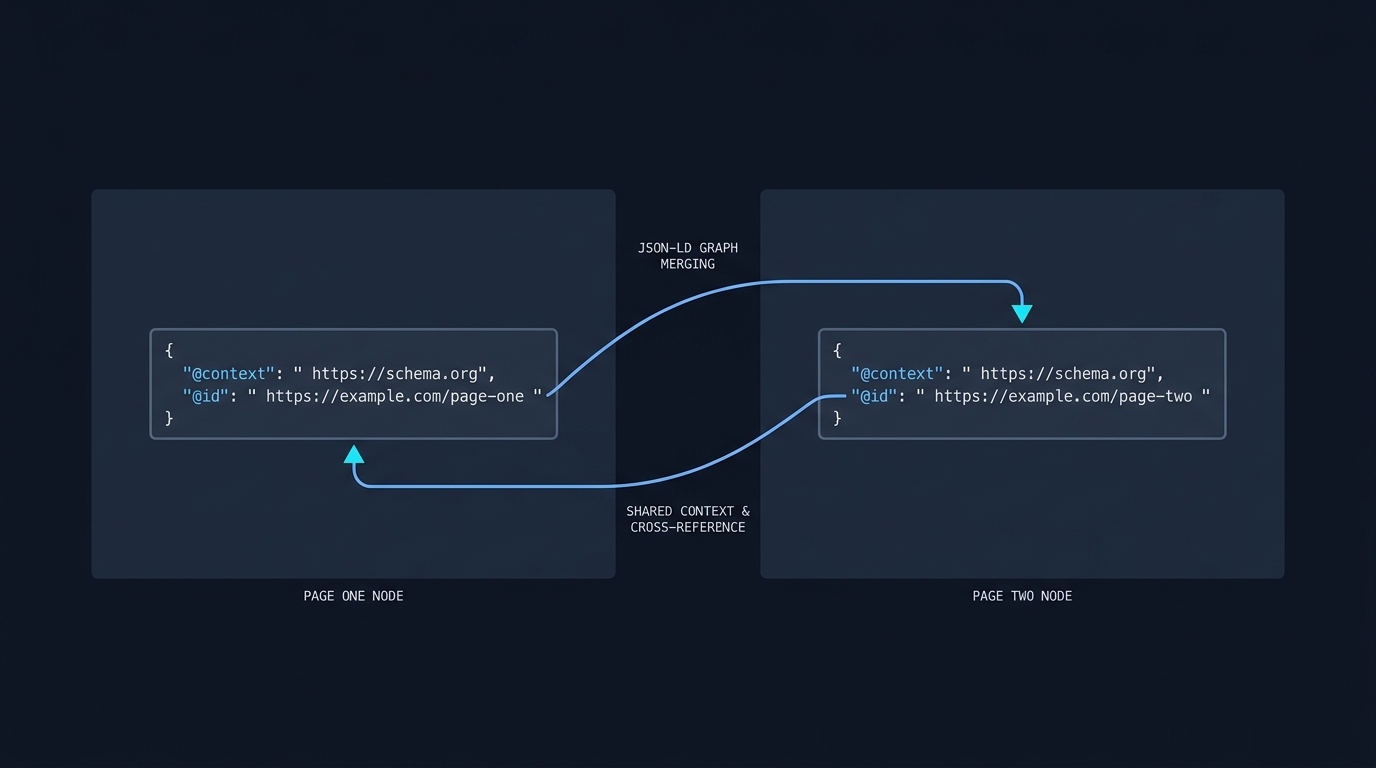
When multiple pages publish the same @id, JSON-LD processors can merge those nodes into a single graph so consumers see a unified entity; consistent @id use is the mechanism that enables that merging behavior as described in the JSON-LD processing model JSON-LD processing guidance.
Practically, if an author node uses the same @id on an article page and on a profile page, downstream consumers can combine properties from both sources into one entity representation without manual reconciliation.
Using @id with sameAs and canonical identifiers
Use sameAs to point to other authoritative identifiers such as social profiles or knowledge base URIs, but treat sameAs as supplementary; the @id value is the primary identifier for graph merging and should point to your chosen canonical IRI.
Common pattern: set @id to the entity's canonical URL and include sameAs as an array of alternative IRIs. This pattern helps tools that prefer canonical pages while still exposing other known identifiers.
Implementing JSON-LD on web pages: script tag, valid JSON and context
How to embed JSON-LD
Embed JSON-LD inside a script element with type application/ld+json so browsers ignore it for rendering while parsers can extract the structured data; this embedding style is the standard recommended by JSON-LD 1.1 and is widely used on the web W3C JSON-LD 1.1 recommendation.
Example placement: include the script in the head or immediately before the closing body tag, and keep the JSON valid and unescaped so parsers read the data reliably.
Ensuring valid JSON and a resolvable @context
Always produce syntactically valid JSON inside the script tag and prefer a resolvable @context such as the schema.org context so consumers can confirm term mappings when needed; invalid JSON or a broken context causes parsers and validators to report errors Schema Markup Validator.
When generating JSON-LD server-side, ensure your rendering pipeline does not escape quotes or inject template artifacts; when injecting client-side, confirm the final DOM contains the proper script content after JavaScript runs.
quick implementation checklist to verify JSON-LD embedding
Placement strategies and server-side generation
Server-side rendering typically yields the most stable JSON-LD because the markup is present in the initial HTML response, while client-side injection can be used for dynamic sites but requires careful testing to ensure search engines and validators see the final JSON-LD.
Where possible, keep structured data generation in the server build or template layer to avoid race conditions and ensure the @id values match canonical URLs produced by the routing and canonicalization logic.
Validation and testing: Schema Markup Validator vs Rich Results Test
What each tool checks

The Schema Markup Validator focuses on syntax and schema.org vocabulary conformance, reporting invalid JSON, unknown terms and context issues; use it to confirm that your JSON-LD is structurally correct and uses recognized schema.org properties Schema Markup Validator.
The Rich Results Test evaluates eligibility for Google’s rich result features by checking required properties and detected enhancements against Google's guidelines; passing the Rich Results Test indicates eligibility but not a guarantee of a specific appearance in Search Rich Results Test.
Common validation errors to fix
Typical errors include malformed JSON, missing required properties for a given enhancement type, and an unresolvable or missing @context. Fixing the JSON syntax is the first step, followed by aligning properties to the expected schema.org types.
When the validator flags an unresolvable context, check that your @context value is spelled correctly and that network rules do not block access to the referenced context URL.
Interpreting eligibility vs syntax
Passing a syntax validator confirms that your JSON-LD is well-formed and uses schema.org vocabulary correctly, but eligibility for rich results depends on Google-specific criteria that the Rich Results Test checks and Google documents explain Google Search Central guidelines. For a concise comparison of formats see JSON-LD vs microdata.
Next steps after testing: fix syntax issues first, then address missing or incorrect properties that the Rich Results Test highlights, and follow Google's general structured data guidelines to improve eligibility prospects.
Common mistakes, quick checklist and next steps
Frequent pitfalls
Frequent mistakes include publishing malformed JSON, using non-IRI values for @id, having inconsistent identifiers across pages, and assuming validation alone guarantees a rich result; avoid these by using stable canonical IRIs and running both syntax and eligibility checks Google Search Central structured data guide.
Other pitfalls are embedding escaped or abbreviated JSON that parsers cannot read and relying on dynamic client-side injection without verifying the final DOM seen by crawlers.
Short implementation checklist
Checklist: choose stable @id IRIs, embed valid JSON-LD in a script tag with type application/ld+json, use a resolvable @context such as schema.org, validate with the Schema Markup Validator, and check rich results eligibility with the Rich Results Test.
Do this sequence as part of your deployment checklist so structured data is verified before pages go live and after any site redesign or template changes.
Further learning and authoritative resources
Authoritative references to consult include the W3C JSON-LD 1.1 specification for the data model and processing guidance, Google Search Central for implementation and eligibility notes, and the Schema Markup Validator and Rich Results Test for validation and eligibility checks W3C JSON-LD 1.1 recommendation.
Use these resources together: the W3C spec explains the model, Google describes eligibility, and the validators show practical errors to fix.
Frequently asked questions
What is the @id value supposed to contain?
The @id should be an absolute IRI, commonly a canonical HTTPS URL that serves as a stable identifier for the entity.
Does using @id guarantee rich results in Google Search?
No. Correct @id use helps with consistent identity, but Google requires following its structured data guidelines and passing eligibility checks to show rich results.
Which tool should I run first when testing JSON-LD?
Start with a syntax and vocabulary check using the Schema Markup Validator, then run the Rich Results Test for Google-specific eligibility.
If you follow the patterns here, your structured data will be clearer and more consistent for downstream consumers. Use the validators and Google’s guidelines to confirm both syntax and eligibility, and keep @id values stable as part of your canonicalization strategy.
References
- https://www.w3.org/TR/json-ld11/
- https://developers.google.com/search/docs/appearance/structured-data/intro-structured-data
- https://checkmyschema.com/learn/google-rich-results
- https://w3c.github.io/json-ld-bp/
- https://checkmyschema.com/learn/jsonld-graphs
- https://www.w3.org/TR/json-ld11-api/
- https://validator.schema.org/
- https://search.google.com/test/rich-results
- https://developers.google.com/search/docs/appearance/structured-data/sd-policies
- https://checkmyschema.com/articles/json-ld-versus-microdata-schema