Structured data explained
What is the recommended format for schema markup?
Use JSON-LD for most implementations. Google supports JSON-LD, Microdata and RDFa, but generally recommends JSON-LD as the easiest to implement and maintain. Place it on the page that the content describes, validate it, and monitor after release.
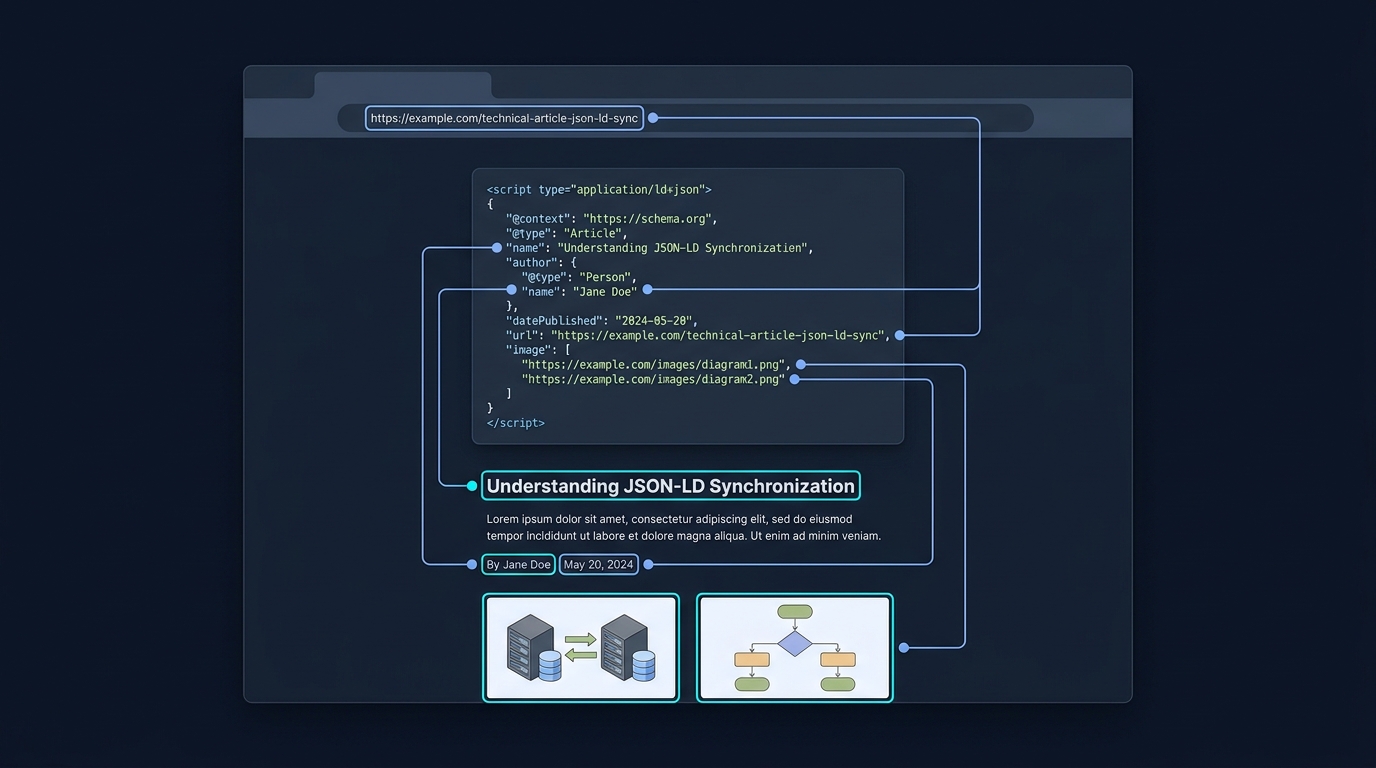
Use JSON-LD for most schema markup. Google supports JSON-LD, Microdata and RDFa, and generally recommends JSON-LD as the easiest format to implement and maintain for most sites (https://developers.google.com/search/docs/appearance/structured-data/intro-structured-data).
Why JSON-LD is usually preferred
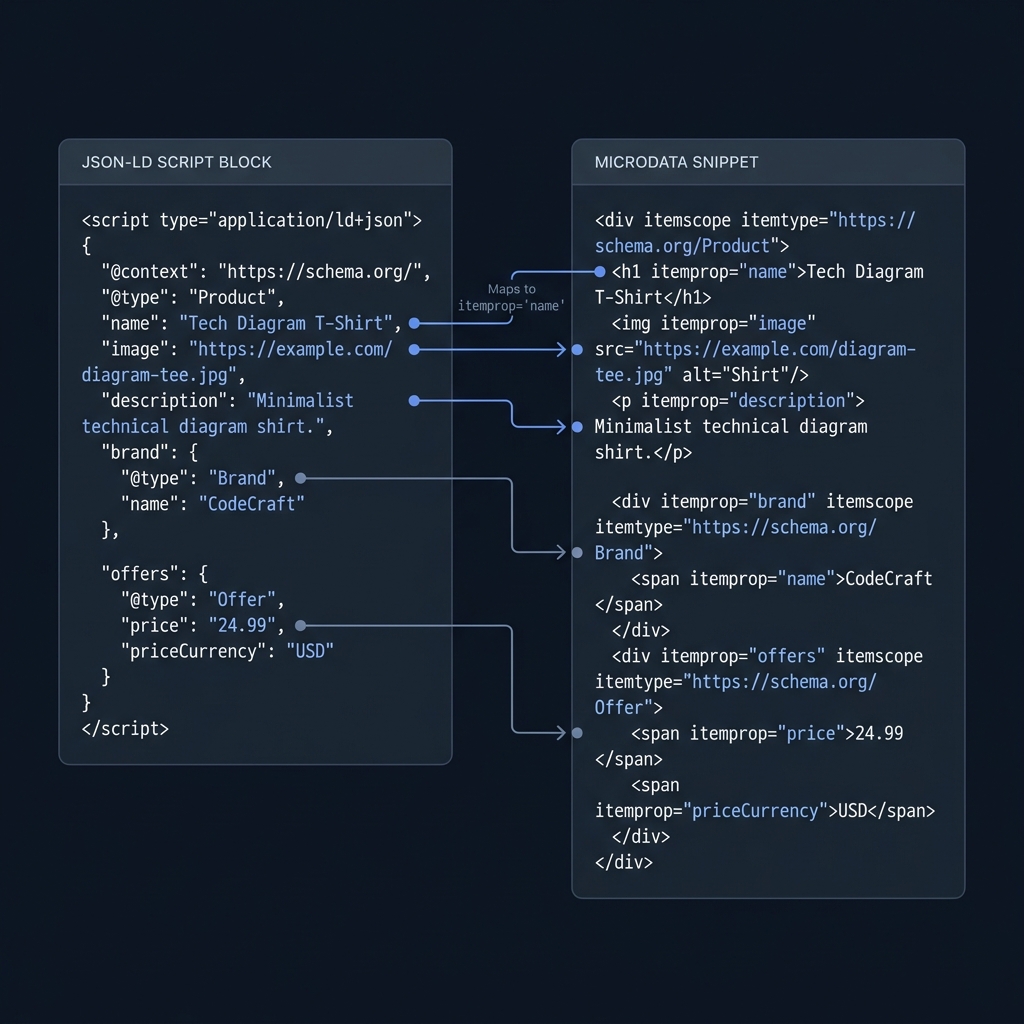
JSON-LD keeps structured data in a single script block rather than interleaved in your HTML, which makes it simpler to read, update and test. Google notes that JSON-LD is embedded in a script tag and is not interleaved with user-visible text, which also makes nested data easier to express (https://developers.google.com/search/docs/appearance/structured-data/intro-structured-data).
It is also a standardized W3C Recommendation, which helps with long-term interoperability (https://www.w3.org/TR/json-ld11/).
Where to place markup and how to keep it accurate
Placement
JSON-LD can be placed in the head or body of the page as a script tag (https://developers.google.com/search/docs/appearance/structured-data/intro-structured-data). Put the markup on the same page that the information applies to; don’t create blank pages just to hold structured data, and don’t add markup about information that users can’t see on the page (https://developers.google.com/search/docs/appearance/structured-data/intro-structured-data).
Dynamic injection is OK
Google can read JSON-LD that is dynamically injected into the page by JavaScript or embedded widgets, provided the markup is valid and follows the feature’s documentation (https://developers.google.com/search/docs/appearance/structured-data/intro-structured-data).
How to implement JSON-LD effectively
- Start with the Google Search feature you want (for example, Article or Product) and use the schema.org vocabulary supported for that feature. Google’s documentation lists required and recommended properties and clarifies that supplying complete and accurate required properties is necessary for eligibility (https://developers.google.com/search/docs/appearance/structured-data/intro-structured-data).
- Keep your JSON-LD values aligned with what users see on the page. Avoid marking up hidden or misleading content (https://developers.google.com/search/docs/appearance/structured-data/intro-structured-data).
- If you publish via a CMS, ensure your templates or components output valid markup consistently across similar pages.
Pre-launch structured data checklist
Testing and monitoring
Before publishing
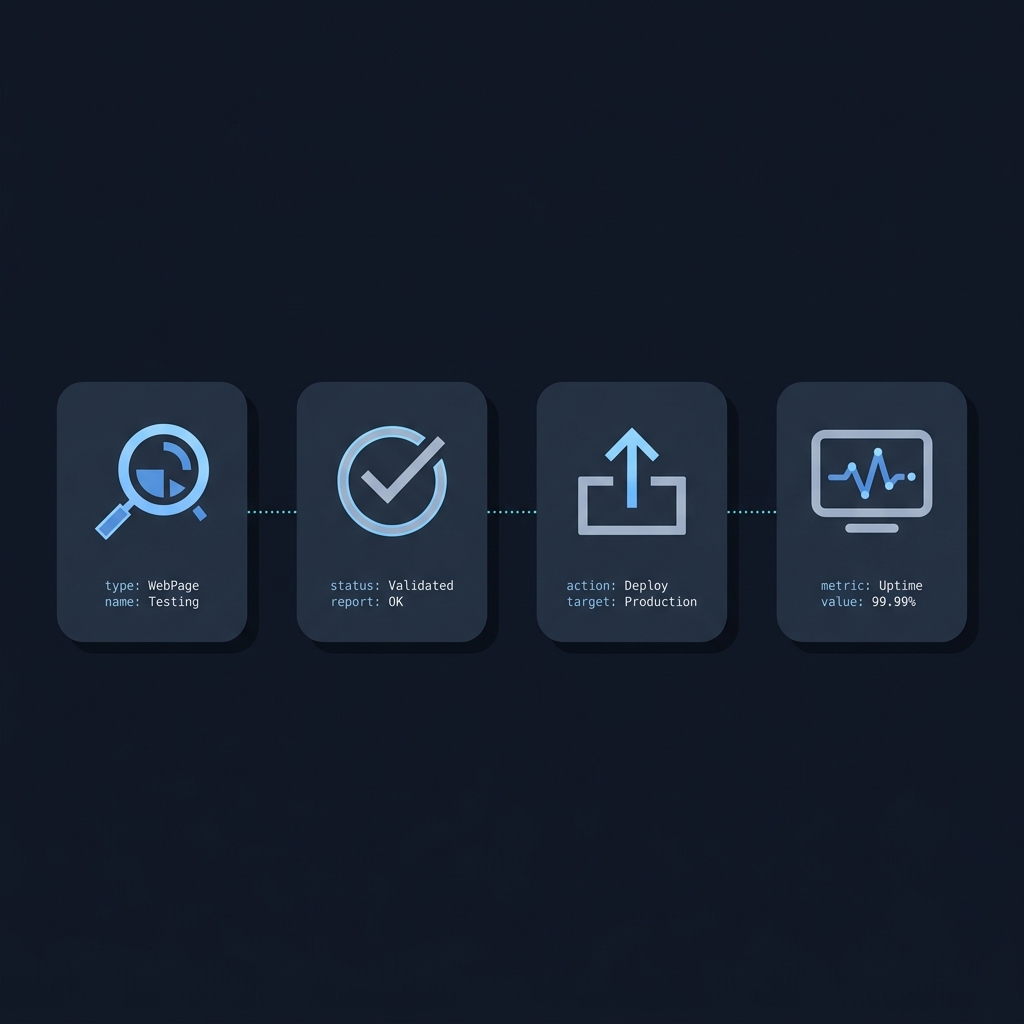
Use the Rich Results Test to validate your structured data and, where applicable, preview eligible rich results (https://developers.google.com/search/docs/appearance/structured-data/intro-structured-data). Aim for valid markup with complete required properties for the feature.
After publishing
Monitor your pages in Search Console’s rich result status reports to catch issues that can appear after deployment due to templating or serving changes (https://developers.google.com/search/docs/appearance/structured-data/intro-structured-data). Re-validate when you update content, pricing, availability, or layouts that touch structured data.
For practical implementation walk-throughs, see our internal guides: How to validate schema markup: a practical checklist and JSON-LD Article example: practical guide.
Common mistakes to avoid
- Interleaving Microdata attributes into complex HTML where changes are frequent. JSON-LD avoids this by keeping data separate (https://developers.google.com/search/docs/appearance/structured-data/intro-structured-data).
- Marking up information not visible on the page. Keep markup aligned with on-page content (https://developers.google.com/search/docs/appearance/structured-data/intro-structured-data).
- Omitting required properties for a Search feature. Eligibility requires including all required properties (https://developers.google.com/search/docs/appearance/structured-data/intro-structured-data).
FAQs
Is JSON-LD required for rich results?
No. Google supports JSON-LD, Microdata and RDFa. However, Google generally recommends JSON-LD as the easiest for most sites (https://developers.google.com/search/docs/appearance/structured-data/intro-structured-data).
Can I put JSON-LD in the head or the body?
Either is fine. JSON-LD is a script tag that can be embedded in the head or body (https://developers.google.com/search/docs/appearance/structured-data/intro-structured-data).
Will Google read JSON-LD added by JavaScript?
Yes. Google can read JSON-LD that is dynamically injected into the page’s contents, as long as it’s valid and follows the feature documentation (https://developers.google.com/search/docs/appearance/structured-data/intro-structured-data).
Choose JSON-LD, put it on the page that contains the content, validate with the Rich Results Test, and monitor status reports after deployment. That’s the most reliable path to stable, maintainable structured data.
