Structured data explained
What is the difference between rich results and structured data?
A clear answer to rich results vs structured data, with definitions, eligibility requirements, a small JSON-LD example, Google testing tools and an actionable checklist.

Structured data is code you add to a page to describe its content in a standard way; rich results are the enhanced Google Search appearances that your page may become eligible for when Google detects valid, supported structured data. Structured data helps Google understand your page; rich results are a potential display outcome, not a guarantee (Introduction to structured data, Structured data gallery, Rich Results Test help).
Definitions and the real-world difference
- Structured data: A standardized format (commonly JSON-LD, also Microdata or RDFa) describing page content and entities for machines to read (Introduction to structured data).
- Rich results: Richer search appearances (for example, with images, ratings, or other visual elements) that Google can show when it understands your page via supported structured data (Structured data gallery).
- No guarantee: Even with valid markup, Google does not guarantee an enhanced display for your page or that previews match live results (Rich Results Test help).
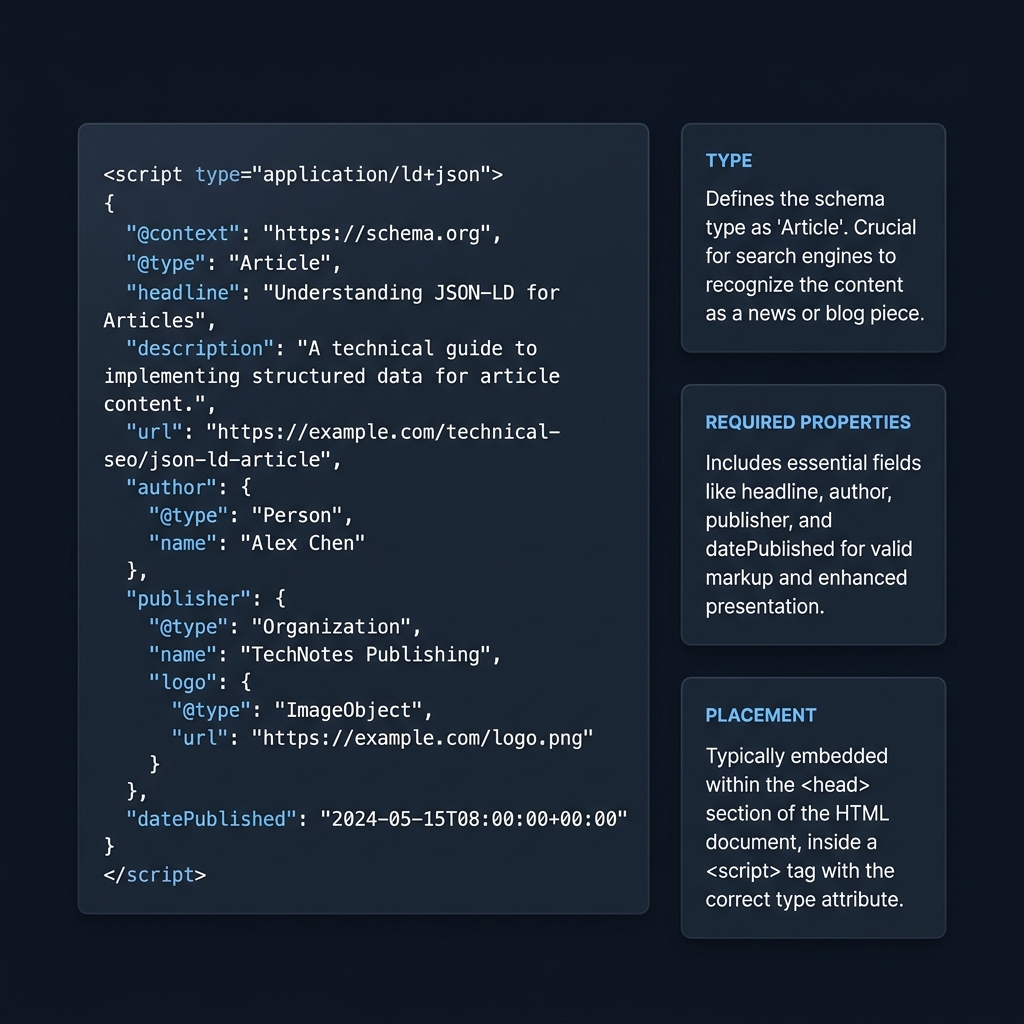
How structured data works (and formats Google supports)
Google reads structured data to understand the content and context of a page and to make it eligible for relevant rich result features. Google supports JSON-LD (recommended), Microdata and RDFa; use whichever you can implement and maintain correctly (Introduction to structured data). For a quick format comparison and practical advice, see our explainer What is the recommended format for schema markup?
Eligibility checks for supported rich results
- Choose a feature that Google supports for Search and implement its required properties on matching content (Structured data gallery, Introduction to structured data).
- Follow Google’s general structured data guidelines: ensure accuracy, keep marked-up content visible to users, don’t block Googlebot, and avoid misleading markup (General structured data guidelines).
- Validate with Google’s Rich Results Test for eligibility and use Search Console to monitor enhancement reports after deployment (Test your structured data, Introduction to structured data).
Worked example: a breadcrumb description
This example describes a real Home > Articles hierarchy on CheckMySchema. It contains no invented product price, review, rating or author. On an actual page, the breadcrumb markup should describe that page’s visible navigation hierarchy; do not copy this hierarchy onto an unrelated site.
<script type="application/ld+json">
{
  "@context": "https://schema.org",
  "@type": "BreadcrumbList",
  "itemListElement": [
    {
      "@type": "ListItem",
      "position": 1,
      "name": "Home",
      "item": "https://checkmyschema.com/"
    },
    {
      "@type": "ListItem",
      "position": 2,
      "name": "Articles",
      "item": "https://checkmyschema.com/articles/"
    }
  ]
}
</script>
The JSON-LD is the machine-readable description. A breadcrumb-style search appearance is a possible use of that information, subject to Google’s current feature requirements and selection. The code itself is not a picture of a search result, and a valid test does not promise that display.

A practical process to follow
- Map content to a supported Search feature in Google’s gallery and note all required properties (Structured data gallery).
- Implement JSON-LD (or another supported format) so that the structured data matches visible page content (Introduction to structured data, General structured data guidelines).
- Validate eligibility with the Rich Results Test; use the Schema Markup Validator for general schema.org validation (Test your structured data).
- Publish and monitor Search Console’s enhancement and performance reports, then iterate as templates or data change (Introduction to structured data).
For a deeper how-to, read How to validate schema markup: a practical checklist.
Quick checklist: from markup to rich result
FAQ
Do I need structured data to get a rich result?
Requirements vary by feature. For a structured-data-powered enhancement, follow that feature’s required properties and policies in Google’s gallery. Do not assume that every enhanced Search appearance has the same markup requirements (Structured data gallery).
Does JSON-LD guarantee a rich result?
No. Google can’t guarantee rich results even with valid markup, and previews in testing tools may not match live results (Rich Results Test help).
Which tool should I use to test?
Use Google’s Rich Results Test to check eligibility for Google features and preview supported layouts. Use the Schema Markup Validator for general schema.org validation without Google-specific checks (Test your structured data).
