Structured data explained
How to validate JSON in Visual Studio Code
Practical ways to validate JSON in VS Code using $schema or workspace schema mappings, with a worked example and troubleshooting tips.
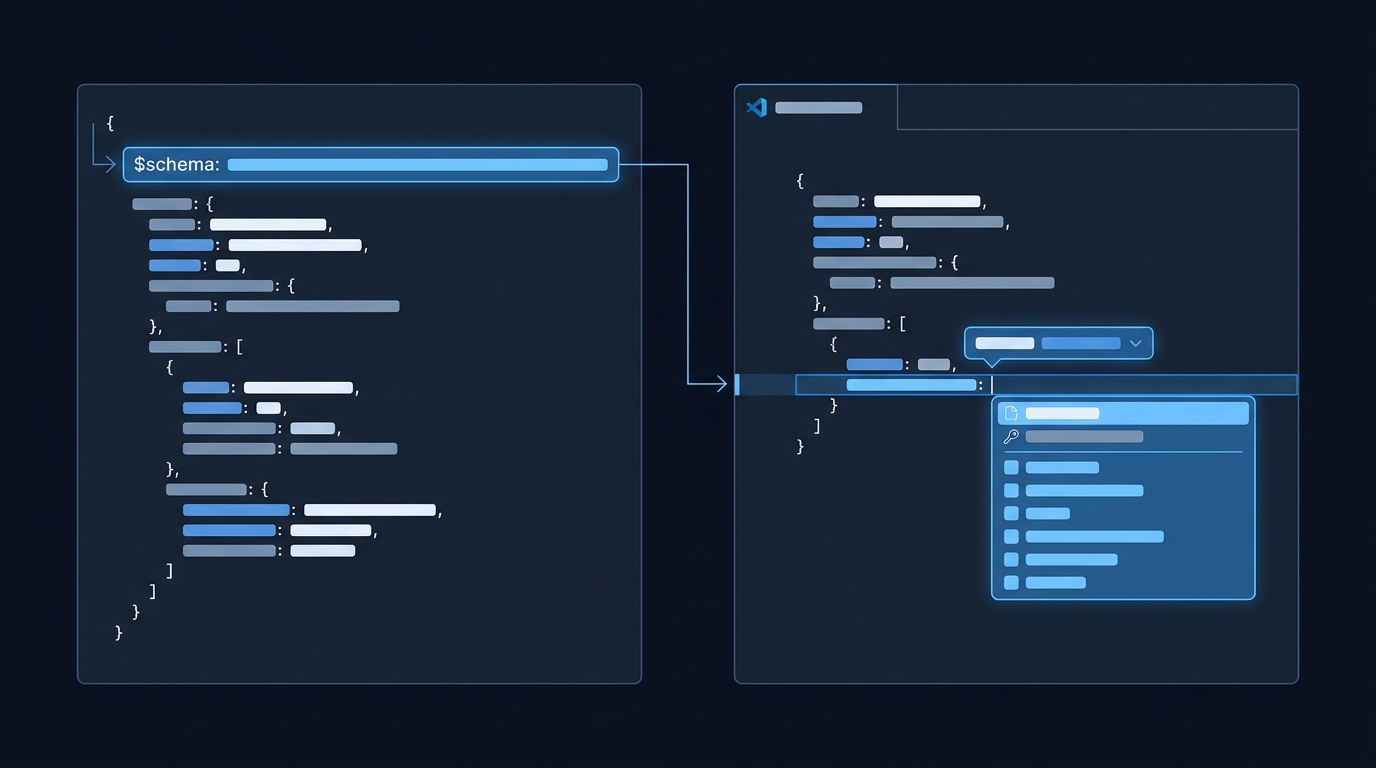
First select JSON language mode and review syntax errors in the Problems panel. For additional checks of required properties and value types, associate a JSON Schema. Choose one of these methods: add a "$schema" property at the top of the JSON file, or map filename patterns to a schema in your user or workspace settings under json.schemas. VS Code then applies schema-based validation and IntelliSense while you edit. VS Code JSON docs
Built-in validation vs schema-based checks
VS Code parses JSON and surfaces basic syntax issues by default. When an associated JSON Schema is available, VS Code also validates structure and values (for example, required properties, types, enums) and offers richer completions. You can turn validation off entirely with the json.validate.enable setting if needed. VS Code JSON docs
VS Code supports associating a schema either by the $schema attribute inside a JSON file or via the json.schemas setting (User or Workspace). Extensions can also contribute schema mappings. VS Code JSON docs
Method 1: Add $schema in the JSON file (per file)
Add a $schema property at the root of your JSON document pointing to a local file or an HTTPS URL. VS Code will try to load and apply it for validation and completions. The example.test address below is a reserved placeholder, so replace it with an actual reachable schema or use the local mapping shown later.
{
  "$schema": "https://example.test/schemas/config.schema.json",
  "name": "my-config",
  "version": 1
}
Note: Using $schema inside your JSON is a VS Code-specific association and not part of the JSON Schema specification. Some systems that consume your JSON might not expect it; if that’s a problem, use a settings-based mapping instead. VS Code JSON docs
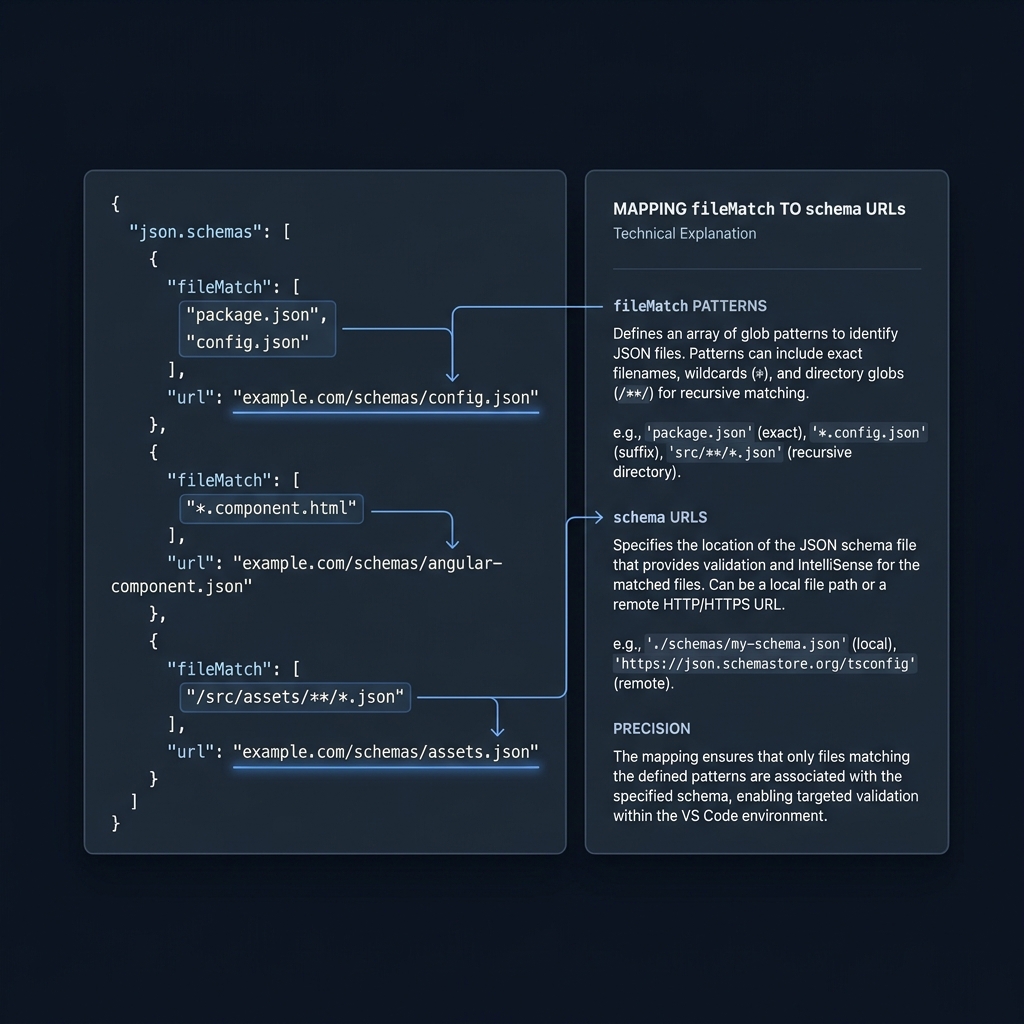
Method 2: Map schemas in settings (for many files)
To apply a schema across multiple files without editing each one, add json.schemas entries in your settings.json. You can match by filename patterns and point to a local path or URL.
Workspace settings example
{
  "json.schemas": [
    {
      "fileMatch": ["**/data/*.json"],
      "url": "./schemas/data.schema.json"
    }
  ]
}
The fileMatch syntax supports wildcards like * and allows exclusions starting with !. At least one pattern must match and the last match must not be excluded. You can also define a schema inline using the schema property. VS Code JSON docs
Inline schema in settings
{
  "json.schemas": [
    {
      "fileMatch": ["/.myconfig"],
      "schema": {
        "type": "object",
        "properties": {
          "name": {"type": "string", "description": "The name of the entry"}
        },
        "required": ["name"]
      }
    }
  ]
}
Worked example: validate config.json against a local schema
1) Create schemas/config.schema.json
{
  "$schema": "http://json-schema.org/draft-07/schema#",
  "$id": "https://example.test/schemas/config.schema.json",
  "type": "object",
  "properties": {
    "name": {"type": "string"},
    "version": {"type": "integer"}
  },
  "required": ["name", "version"],
  "additionalProperties": false
}
This local example declares draft-07, which VS Code documents as supported. It uses standard JSON Schema validation keywords such as type, required and additionalProperties. JSON Schema validation (2020-12)
2) Map the schema in your workspace
{
  "json.schemas": [
    {
      "fileMatch": ["**/config.json"],
      "url": "./schemas/config.schema.json"
    }
  ]
}
3) Open config.json and fix issues
The workspace example expects a schemas folder beside the config file. The schema’s example.test identifier is illustrative; the mapping loads the actual local file. It does not require that reserved address to be a running website.
Invalid example (will fail against the schema):
{
  "name": 42,
  "version": "1"
}
Expected failure: name must be a string and version must be an integer. Corrected:
{
  "name": "service-a",
  "version": 1
}
Troubleshooting and tips
- Schema not applied: verify $schema is present at the document root, or that your json.schemas fileMatch actually matches the open file. Use the Problems panel to see diagnostics. VS Code JSON docs
- Remote schemas offline: control downloads with json.schemaDownload.enable. If a schema cannot be fetched, VS Code shows a warning triangle in the status bar. VS Code JSON docs
- Disable validation (rare): set json.validate.enable to false. This turns off JSON validation altogether. VS Code JSON docs
- JSON vs JSON with Comments: VS Code supports a JSON with Comments (jsonc) mode for its own config files, allowing // and /* */ comments and even trailing commas (warned). Standard JSON does not allow these. Check the language mode in the status bar. VS Code JSON docs
- Schema drafts: VS Code ships support for drafts 4-7, with limited support for 2019-09 and 2020-12. If you use newer features, ensure your schema aligns with what VS Code supports. VS Code JSON docs
- Common schemas: VS Code can use schemas from sources like JSON Schema Store for well-known config files (for example, package.json). VS Code JSON docs
Related reading on CheckMySchema:
Validate JSON in VS Code: quick checklist
FAQ
Do I need a schema to validate? With JSON mode and validation enabled, VS Code reports syntax errors, but schema-driven validation is what checks types, required properties and allowed values. Associate a schema via $schema or json.schemas to enable it. VS Code JSON docs
Can I use a local schema file? Yes. Map it with a relative path in json.schemas, or reference it in $schema. VS Code JSON docs
