Structured data explained
What is oneOf in JSON Schema?
A clear explanation of oneOf in JSON Schema, how it validates, how it differs from anyOf and allOf, practical modeling patterns, and a hands-on debugging checklist.
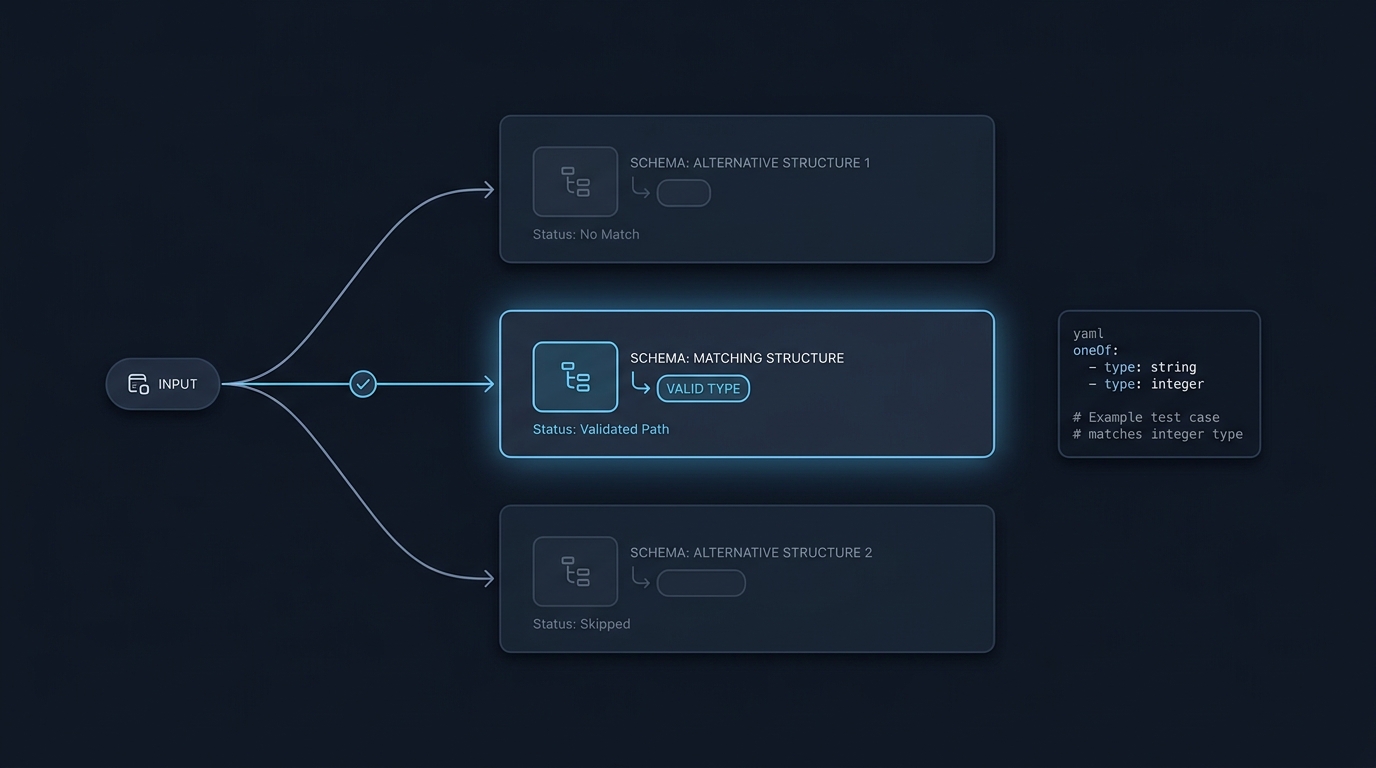
In JSON Schema, oneOf means your instance must validate against exactly one subschema in the oneOf array. If zero or more than one subschema matches, validation fails. See the official docs and examples: JSON Schema: Boolean combination and the test cases here: JSON Schema Test Suite: oneOf.
How oneOf works
Validation evaluates every subschema under oneOf and counts the number of passes. The overall result is valid only if the count is exactly one. This behavior is shown in the official documentation and confirmed by the Test Suite, including cases where both subschemas match (invalid) and where neither matches (invalid) JSON Schema: Boolean combination JSON Schema Test Suite: oneOf.
Parent constraints still apply alongside oneOf. For example, a parent type can restrict the overall instance while oneOf applies additional rules. The Test Suite’s “oneOf with base schema” shows this interaction clearly JSON Schema Test Suite: oneOf.
Performance note: the docs caution that oneOf may increase processing time because each subschema must be checked; prefer anyOf when exclusivity is not required JSON Schema: Boolean combination.
How oneOf differs from anyOf and allOf
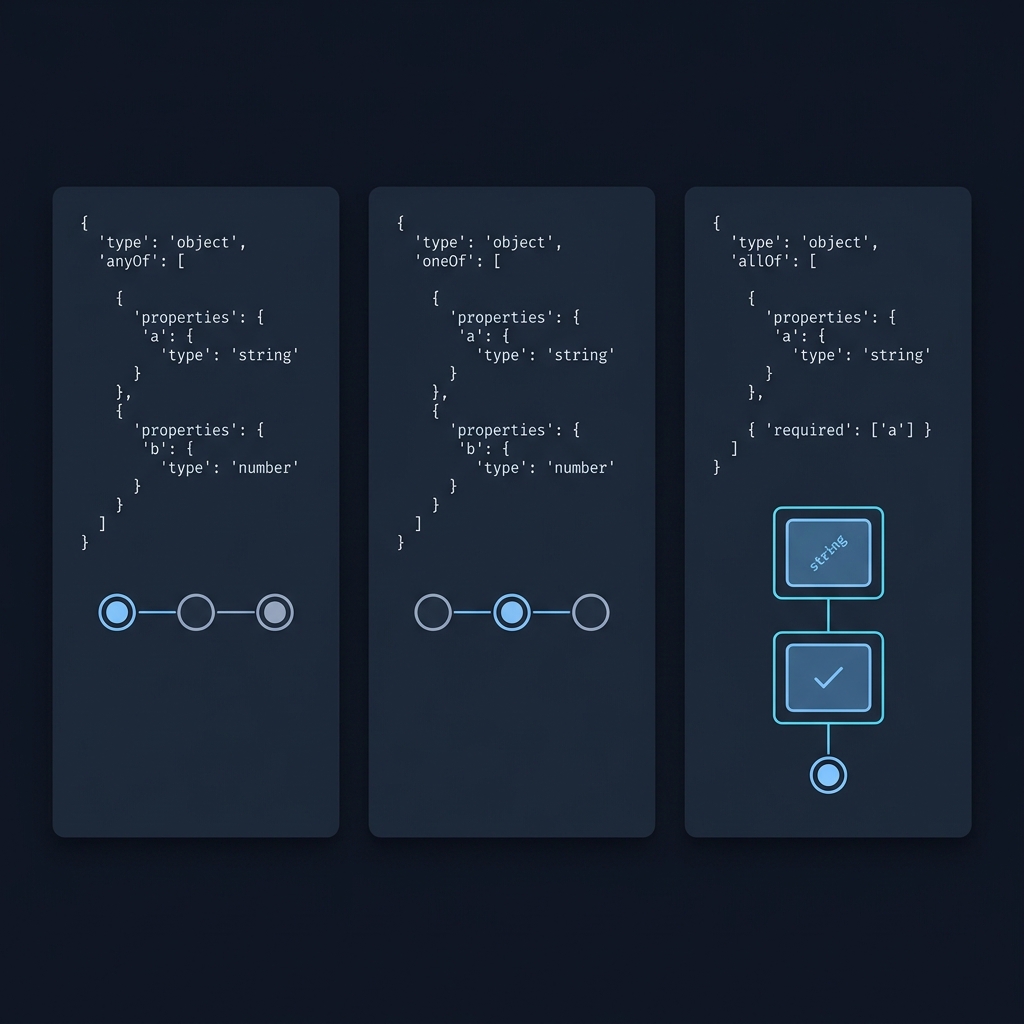
- anyOf: valid if one or more subschemas match.
- allOf: valid only if all subschemas match.
- oneOf: valid only if exactly one subschema matches.
This difference matters when variants can overlap: overlapping variants that both match will break oneOf but are fine for anyOf JSON Schema: Boolean combination.
Practical modeling patterns for oneOf
Use oneOf for mutually exclusive alternatives. A common pattern is a discriminator-style property with per-variant const values, which makes the alternatives exclusive and easier to understand.
Valid exclusive alternatives with const
{
  "$schema": "https://json-schema.org/draft/2020-12/schema",
  "type": "object",
  "properties": {
    "kind": { "type": "string" },
    "aOnly": { "type": "integer" },
    "bOnly": { "type": "string" }
  },
  "required": ["kind"],
  "oneOf": [
    {
      "properties": { "kind": { "const": "a" } },
      "required": ["kind", "aOnly"]
    },
    {
      "properties": { "kind": { "const": "b" } },
      "required": ["kind", "bOnly"]
    }
  ]
}
Example instance that is valid because exactly one branch matches:
{ "kind": "a", "aOnly": 1 }If an instance fits both branches, oneOf fails. Ensuring exclusivity with const and distinct required properties prevents accidental overlap JSON Schema Test Suite: oneOf.
Decide separately whether extra properties are allowed. additionalProperties only recognises property declarations in the same schema object; putting declarations in another branch does not automatically make them visible to it. In draft 2020-12, unevaluatedProperties can support closing an object after successful subschemas have been evaluated. Choose the intended draft and test the actual instance, rather than assuming oneOf itself rejects extra keys. See the official object-property guidance.
Debugging unexpected oneOf results
When data that “should” pass fails oneOf (or vice versa), assume either overlapping branches or a constraint on the parent schema is in play. The JSON Schema Test Suite offers focused examples you can adapt to isolate the issue JSON Schema Test Suite: oneOf.
Also separate generation from validation. Some tools generate a single example by picking one branch, which is useful for samples but does not prove that only one branch would match at runtime Specmatic docs: oneOf support.
Quick checklist to troubleshoot oneOf

Concrete pass/fail examples
Both branches match (so oneOf fails)
{
  "$schema": "https://json-schema.org/draft/2020-12/schema",
  "oneOf": [
    { "type": "integer" },
    { "minimum": 2 }
  ]
}
Data 3 is invalid here because it matches both branches (it is an integer and it is at least 2). This mirrors the Test Suite example JSON Schema Test Suite: oneOf.
Parent schema plus oneOf
{
  "$schema": "https://json-schema.org/draft/2020-12/schema",
  "type": "string",
  "oneOf": [
    { "minLength": 2 },
    { "maxLength": 4 }
  ]
}
"foo" is invalid because it satisfies both minLength: 2 and maxLength: 4. A longer string like "foobar" is valid because exactly one branch applies. See the corresponding Test Suite section JSON Schema Test Suite: oneOf.
FAQ
Do parent constraints apply alongside oneOf?
Yes. Parent constraints (such as type) and exactly one of the oneOf branches must hold at the same time JSON Schema Test Suite: oneOf.
When should I use anyOf instead?
Use anyOf when variants can overlap or when you do not need exclusivity. The official docs also note that oneOf can be more expensive to evaluate and recommend preferring anyOf when possible JSON Schema: Boolean combination.
For more background, see What JSON Schema is used for in practice.
